Features on abstract background WordPress Theme


Strategy Through Support Form Structured Page Content
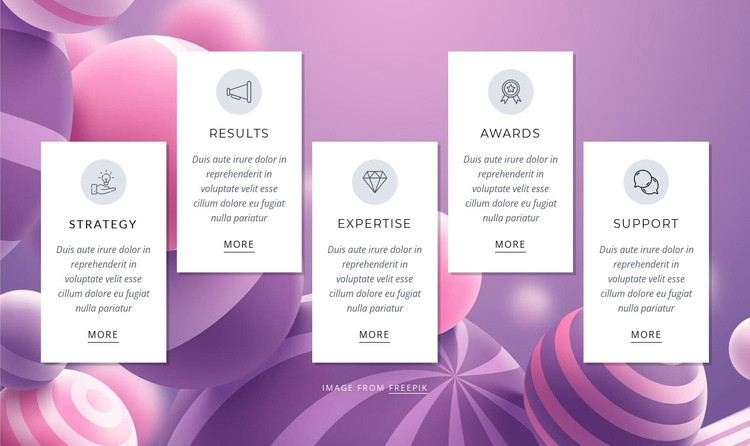
Strategy, Results, Expertise, Awards, and Support give this section five distinct content units that can fit naturally into a WordPress-managed page. Each unit has the same visual and editorial pattern: a circular icon treatment, a title, a supporting description, and a More link. That consistency makes the cards suitable for stable capabilities content, where each topic can remain recognizable while the surrounding project manages other page areas separately.
The visual arrangement also affects how the content is read. White rectangular cards stand apart from the purple, pink, and lavender abstract background, while thin borders and soft shadows define the boundaries of each item. Centered dark text keeps the labels and descriptions aligned within their panels. Since the cards alternate vertically across the horizontal row, the section has a deliberate rhythm that distinguishes it from a conventional flat feature grid. In a WordPress-oriented project, this layout can remain a reusable page section for presenting business capabilities or benefits, with the More links leading toward fuller information maintained elsewhere.
The block does not need to carry the entire content model of a site. Its role is narrower and clearer: organize five related topics into a visually consistent section that can be placed within a page and maintained alongside other WordPress-managed content. The repeated card structure also makes future text or image updates easier to keep visually coherent.
Customize with Nicepage
Open this ready-made template in the WordPress Website Builder and customize it visually in the Nicepage editor. Replace demo content, edit page sections, and adapt the design to your project without rebuilding the template from scratch.
Edit Template Offline
2. Create a new page or select existing
3. Click Add new block, search for id 445061 and click enter
Edit Template Online
Create Awesome Websites


Free Nicepage Builder
Keywords
Manage and Edit This Theme in WordPress
Customize and Install the WordPress Theme
Start with this ready-made theme instead of building the WordPress design from scratch. Customize its layout, content, typography, images, sections, and other design elements visually in Nicepage editor, then export and install the WordPress Theme, Plugin, and Pages on your WordPress site. The Nicepage WordPress Plugin lets you continue working with the site after installation.
Edit the Theme Directly in WordPress
After installation, you can edit the WordPress Theme directly in WordPress with the Nicepage WordPress Plugin. Use Site Style to customize site Colors, Fonts, Header, Footer, Blog, and Post Page Templates while working within your WordPress website.
Edit WordPress Pages Visually
Use the Nicepage WordPress Plugin to edit page content directly from the WordPress admin area. Open a WordPress Page with Nicepage and visually change its text, images, sections, and other page elements while continuing to manage the Page through WordPress.
WordPress Content and Theme Integration
Use the customized theme with WordPress Pages, Posts, Blog and Post Templates, menus, widgets, and other CMS-managed content. Shared theme elements such as Colors, Fonts, Header, Footer, Blog, and Post Page Templates can be managed as part of the overall site design, while WordPress provides the CMS environment for managing site content.
This workflow combines a ready-made WordPress Theme with visual customization, direct theme editing in WordPress, and continued content management through the Nicepage WordPress Plugin.