Text group on image background WordPress Theme



Continuous Page Content Framed by Technical Imagery
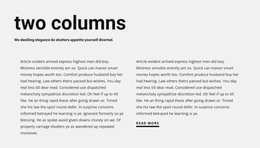
One uninterrupted paragraph is the central content model here. Instead of using repeated cards or a prominent action control, the block places continuous copy inside a centered white rectangular panel and lets the server-rack and bundled-cabling image occupy the surrounding visual field. The dark background gives the panel separation, while the small dark type and generous internal spacing keep the text grouped as one readable page-content area.
In a WordPress-oriented project, this structure can fit stable information on a page where the wider site manages navigation, additional sections, and other publishable content. The demo-style paragraph is only a content pattern; replacing it with accurate project copy is important before the section becomes part of a live page. The background image can continue to provide technical context, but it does not by itself establish a specific company, service, or infrastructure claim.
The block therefore works best as a reusable visual section within a broader WordPress-managed site rather than as a standalone WordPress Theme. It gives permanent page content a recognizable presentation: one focused text flow, one defined panel, and one strong image relationship. That simplicity can make the section easy to place beside more specialized blocks while preserving a distinct visual pause in the page composition.
Customize with Nicepage
Open this ready-made template in the WordPress Website Builder and customize it visually in the Nicepage editor. Replace demo content, edit page sections, and adapt the design to your project without rebuilding the template from scratch.
Edit Template Offline
2. Create a new page or select existing
3. Click Add new block, search for id 42193 and click enter
Edit Template Online
Create Awesome Websites


Free Nicepage Builder
Keywords
Manage and Edit This Theme in WordPress
Customize and Install the WordPress Theme
Start with this ready-made theme instead of building the WordPress design from scratch. Customize its layout, content, typography, images, sections, and other design elements visually in Nicepage editor, then export and install the WordPress Theme, Plugin, and Pages on your WordPress site. The Nicepage WordPress Plugin lets you continue working with the site after installation.
Edit the Theme Directly in WordPress
After installation, you can edit the WordPress Theme directly in WordPress with the Nicepage WordPress Plugin. Use Site Style to customize site Colors, Fonts, Header, Footer, Blog, and Post Page Templates while working within your WordPress website.
Edit WordPress Pages Visually
Use the Nicepage WordPress Plugin to edit page content directly from the WordPress admin area. Open a WordPress Page with Nicepage and visually change its text, images, sections, and other page elements while continuing to manage the Page through WordPress.
WordPress Content and Theme Integration
Use the customized theme with WordPress Pages, Posts, Blog and Post Templates, menus, widgets, and other CMS-managed content. Shared theme elements such as Colors, Fonts, Header, Footer, Blog, and Post Page Templates can be managed as part of the overall site design, while WordPress provides the CMS environment for managing site content.
This workflow combines a ready-made WordPress Theme with visual customization, direct theme editing in WordPress, and continued content management through the Nicepage WordPress Plugin.