We are creative thinkers WordPress Theme


Stable Page Content for a Strategic Brand Section
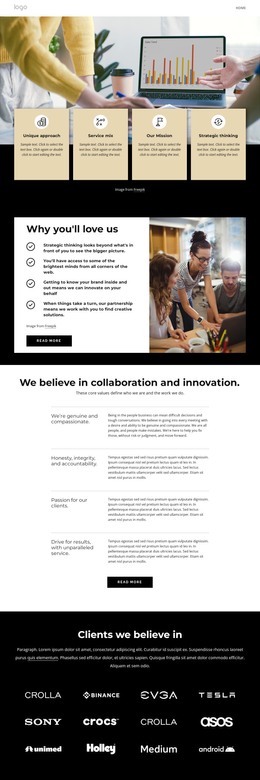
The heading and supporting copy give this block the character of stable page content: it introduces a strategic and creative perspective rather than presenting a time-sensitive feed or a changing list of posts. The three arrow-marked labels add internal organization beneath the explanation, and the outlined Learn More button provides a compact link point for related information. The displayed labels—Managing Your Career Development, Leading with Finance, and Harvard Business School Collection—should be understood as the block's visible topic examples, not as independently confirmed offerings.
For a WordPress-managed page, the section can retain this visual and content role while surrounding pages handle broader navigation, additional editorial material, or deeper brand information. Its single narrow column keeps the message readable as one continuous content area, and the black background separates it visually from adjacent page sections. White heading text carries the main hierarchy; muted gray paragraphs create a quieter explanatory layer; and the pink-red arrow markers give the list a small point of emphasis. The outlined button can lead to a related destination when the surrounding project supplies one, but the block itself remains one reusable page section rather than a complete WordPress theme or site. This makes it suitable for permanent page content that can be edited within a larger CMS-managed design.
Customize with Nicepage
Open this ready-made template in the WordPress Website Builder and customize it visually in the Nicepage editor. Replace demo content, edit page sections, and adapt the design to your project without rebuilding the template from scratch.
Edit Template Offline
2. Create a new page or select existing
3. Click Add new block, search for id 3754466 and click enter
Edit Template Online
Create Awesome Websites


Free Nicepage Builder
Keywords
Manage and Edit This Theme in WordPress
Customize and Install the WordPress Theme
Start with this ready-made theme instead of building the WordPress design from scratch. Customize its layout, content, typography, images, sections, and other design elements visually in Nicepage editor, then export and install the WordPress Theme, Plugin, and Pages on your WordPress site. The Nicepage WordPress Plugin lets you continue working with the site after installation.
Edit the Theme Directly in WordPress
After installation, you can edit the WordPress Theme directly in WordPress with the Nicepage WordPress Plugin. Use Site Style to customize site Colors, Fonts, Header, Footer, Blog, and Post Page Templates while working within your WordPress website.
Edit WordPress Pages Visually
Use the Nicepage WordPress Plugin to edit page content directly from the WordPress admin area. Open a WordPress Page with Nicepage and visually change its text, images, sections, and other page elements while continuing to manage the Page through WordPress.
WordPress Content and Theme Integration
Use the customized theme with WordPress Pages, Posts, Blog and Post Templates, menus, widgets, and other CMS-managed content. Shared theme elements such as Colors, Fonts, Header, Footer, Blog, and Post Page Templates can be managed as part of the overall site design, while WordPress provides the CMS environment for managing site content.
This workflow combines a ready-made WordPress Theme with visual customization, direct theme editing in WordPress, and continued content management through the Nicepage WordPress Plugin.