Learn more about group WordPress Theme


A Repeated Portrait Row for WordPress Team Content
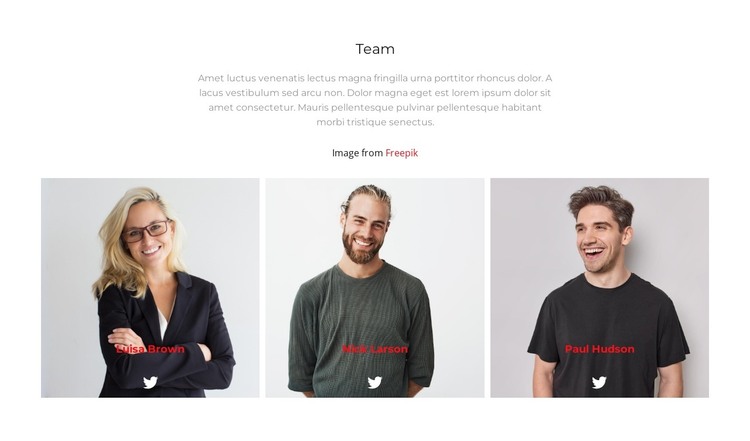
The centered introduction gives the section a stable page-content role: the “Team” heading names the subject, and the supporting paragraph can provide context before the member profiles. The three equal portrait panels then turn that introduction into a repeated group featuring Luisa Brown, Nick Larson, and Paul Hudson. Because the cards share the same width and alignment, the section presents the members as a balanced set suitable for a permanent team area on a WordPress-managed page.
The names and white Twitter links are overlaid near the bottom of the portraits, creating a direct relationship between each person’s image, identity label, and social destination. The white background and restrained gray copy leave the portraits as the strongest visual elements, while the narrow gaps preserve the sense of one coordinated row. Since the interaction is static, the complete member group remains visible without relying on a carousel or expandable control.
Within a broader WordPress project, this block can serve as reusable page content for introducing a team. The surrounding site may contain other pages and content types, but this section retains its own three-card structure and visual logic. It is a content area that can participate in a WordPress-managed page, not a standalone WordPress Theme.
Customize with Nicepage
Open this ready-made template in the WordPress Website Builder and customize it visually in the Nicepage editor. Replace demo content, edit page sections, and adapt the design to your project without rebuilding the template from scratch.
Edit Template Offline
2. Create a new page or select existing
3. Click Add new block, search for id 3008299 and click enter
Edit Template Online
Create Awesome Websites


Free Nicepage Builder
Keywords
Manage and Edit This Theme in WordPress
Customize and Install the WordPress Theme
Start with this ready-made theme instead of building the WordPress design from scratch. Customize its layout, content, typography, images, sections, and other design elements visually in Nicepage editor, then export and install the WordPress Theme, Plugin, and Pages on your WordPress site. The Nicepage WordPress Plugin lets you continue working with the site after installation.
Edit the Theme Directly in WordPress
After installation, you can edit the WordPress Theme directly in WordPress with the Nicepage WordPress Plugin. Use Site Style to customize site Colors, Fonts, Header, Footer, Blog, and Post Page Templates while working within your WordPress website.
Edit WordPress Pages Visually
Use the Nicepage WordPress Plugin to edit page content directly from the WordPress admin area. Open a WordPress Page with Nicepage and visually change its text, images, sections, and other page elements while continuing to manage the Page through WordPress.
WordPress Content and Theme Integration
Use the customized theme with WordPress Pages, Posts, Blog and Post Templates, menus, widgets, and other CMS-managed content. Shared theme elements such as Colors, Fonts, Header, Footer, Blog, and Post Page Templates can be managed as part of the overall site design, while WordPress provides the CMS environment for managing site content.
This workflow combines a ready-made WordPress Theme with visual customization, direct theme editing in WordPress, and continued content management through the Nicepage WordPress Plugin.