We are happy to cooperate WordPress Theme


The Split Contact Layout Keeps Page Information Stable
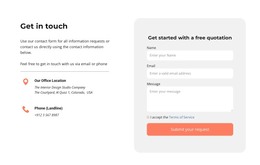
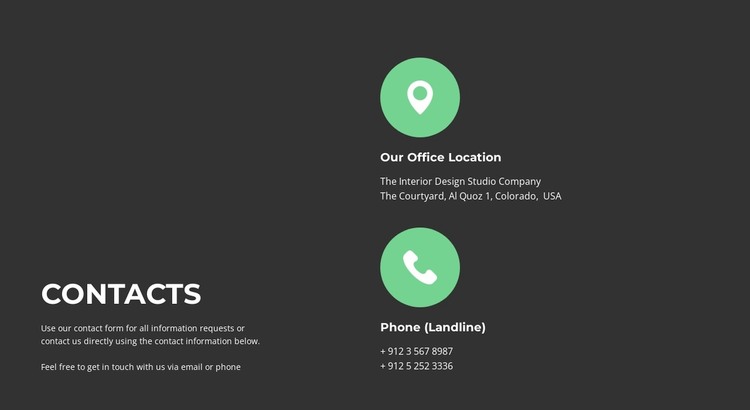
The heading and explanatory paragraph create a permanent informational entry point on the left, while the right column groups the details visitors may need when contacting the organization. Its two vertically stacked items distinguish office-location information from landline phone information, and the circular mint-green icons provide a repeated visual cue for each label. The structure is especially suited to content that should remain visible as part of a broader contact page rather than being treated as a temporary campaign message.
In a WordPress-managed project, this block can serve as stable page content within a contact or information page. The displayed address and phone values function as the section’s content fields; they can be replaced with the project’s current details while the split arrangement remains intact. The block does not depend on a contact form, booking control, or other interactive component, so its role is to present direct contact information clearly alongside an introductory message.
The dark charcoal field and white type establish a strong content region, while the bright circular icons help the two entries remain recognizable when the section is viewed among other page content. This makes the block a practical reusable visual area for a WordPress site where surrounding pages or sections can handle navigation, forms, and extended company information. Its visual logic stays focused on readable contact details rather than expanding into a complete theme or site structure.
Customize with Nicepage
Open this ready-made template in the WordPress Website Builder and customize it visually in the Nicepage editor. Replace demo content, edit page sections, and adapt the design to your project without rebuilding the template from scratch.
Edit Template Offline
2. Create a new page or select existing
3. Click Add new block, search for id 2827579 and click enter
Edit Template Online
Create Awesome Websites


Free Nicepage Builder
Keywords
Manage and Edit This Theme in WordPress
Customize and Install the WordPress Theme
Start with this ready-made theme instead of building the WordPress design from scratch. Customize its layout, content, typography, images, sections, and other design elements visually in Nicepage editor, then export and install the WordPress Theme, Plugin, and Pages on your WordPress site. The Nicepage WordPress Plugin lets you continue working with the site after installation.
Edit the Theme Directly in WordPress
After installation, you can edit the WordPress Theme directly in WordPress with the Nicepage WordPress Plugin. Use Site Style to customize site Colors, Fonts, Header, Footer, Blog, and Post Page Templates while working within your WordPress website.
Edit WordPress Pages Visually
Use the Nicepage WordPress Plugin to edit page content directly from the WordPress admin area. Open a WordPress Page with Nicepage and visually change its text, images, sections, and other page elements while continuing to manage the Page through WordPress.
WordPress Content and Theme Integration
Use the customized theme with WordPress Pages, Posts, Blog and Post Templates, menus, widgets, and other CMS-managed content. Shared theme elements such as Colors, Fonts, Header, Footer, Blog, and Post Page Templates can be managed as part of the overall site design, while WordPress provides the CMS environment for managing site content.
This workflow combines a ready-made WordPress Theme with visual customization, direct theme editing in WordPress, and continued content management through the Nicepage WordPress Plugin.