Where to start success WordPress Theme


Three Editable Information Units Build a Stable Page Section
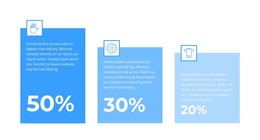
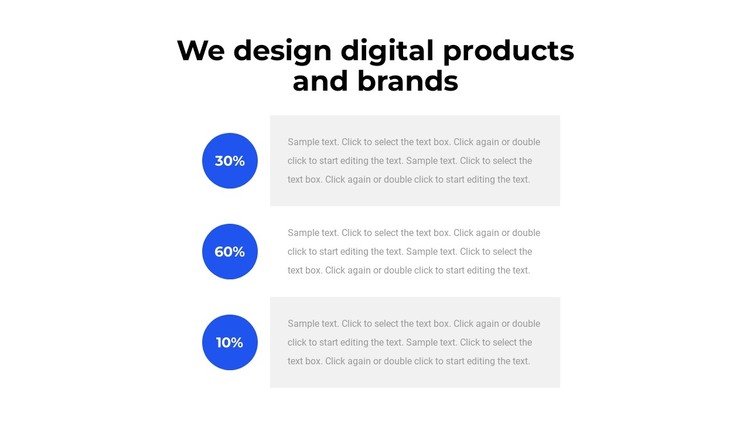
The section reads as permanent page content because its centered heading introduces a defined subject and the three repeated rows explain related information beneath it. Each row pairs a circular percentage marker with a horizontal text panel, giving a concise figure a nearby area for interpretation. The consistent arrangement makes the block suitable for a page section that needs to communicate several related points without expanding into a separate content type.
The visual hierarchy supports that page role. The large black heading is read first, followed by the vertical sequence of blue circular markers and light-gray text panels. Alternating panel tones help distinguish the rows, while the white background and generous spacing prevent the repeated items from becoming a dense table. The static presentation keeps all three content units visible at once, which is useful when visitors need to compare the displayed values and their accompanying descriptions.
In a WordPress-managed project, the block can provide a stable section on a services, capabilities, or process-oriented page while the wider site handles its other content areas. The sample percentages and descriptions can be replaced with suitable page copy without changing the marker-and-panel relationship. This makes the block a reusable visual content region rather than a complete theme: its value is the focused heading, repeated information model, and orderly presentation of three related items.
Customize with Nicepage
Open this ready-made template in the WordPress Website Builder and customize it visually in the Nicepage editor. Replace demo content, edit page sections, and adapt the design to your project without rebuilding the template from scratch.
Edit Template Offline
2. Create a new page or select existing
3. Click Add new block, search for id 2363093 and click enter
Edit Template Online
Create Awesome Websites


Free Nicepage Builder
Keywords
Manage and Edit This Theme in WordPress
Customize and Install the WordPress Theme
Start with this ready-made theme instead of building the WordPress design from scratch. Customize its layout, content, typography, images, sections, and other design elements visually in Nicepage editor, then export and install the WordPress Theme, Plugin, and Pages on your WordPress site. The Nicepage WordPress Plugin lets you continue working with the site after installation.
Edit the Theme Directly in WordPress
After installation, you can edit the WordPress Theme directly in WordPress with the Nicepage WordPress Plugin. Use Site Style to customize site Colors, Fonts, Header, Footer, Blog, and Post Page Templates while working within your WordPress website.
Edit WordPress Pages Visually
Use the Nicepage WordPress Plugin to edit page content directly from the WordPress admin area. Open a WordPress Page with Nicepage and visually change its text, images, sections, and other page elements while continuing to manage the Page through WordPress.
WordPress Content and Theme Integration
Use the customized theme with WordPress Pages, Posts, Blog and Post Templates, menus, widgets, and other CMS-managed content. Shared theme elements such as Colors, Fonts, Header, Footer, Blog, and Post Page Templates can be managed as part of the overall site design, while WordPress provides the CMS environment for managing site content.
This workflow combines a ready-made WordPress Theme with visual customization, direct theme editing in WordPress, and continued content management through the Nicepage WordPress Plugin.