How the restaurant works WordPress Theme


Bakery Questions and Answers Work as Stable WordPress Page Content
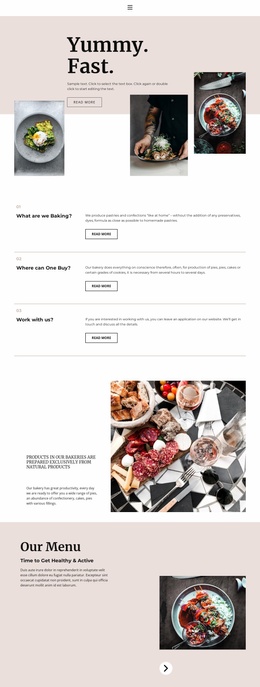
The block's three entries read naturally as durable page content rather than a stream of dated updates. The first question explains the production of pastries and confections without preservatives or dyes. The second covers pies, cakes, and cookies and adds a time perspective by noting that production can take from several hours to several days. The third invites interested people to leave an application and discuss work details. This progression lets a WordPress-managed page present product information before moving toward a work-related response.
The repeated design keeps each content unit independent. A small number and bold question heading sit in the left column, while the explanatory paragraph and outlined Read more button occupy the right. The button gives each entry a clear continuation point, but the block does not depend on a single dominant action. Thin warm-gold rules separate the rows, and the white background with black type supports quick reading across the three topics. Generous vertical spacing also prevents the answers from becoming a dense text wall.
In a WordPress context, the section can remain a reusable visual area on a services, information, or recruitment-oriented page while the wider project handles other publishable content. Nicepage supports WordPress page editing and content workflows, yet this block remains one section within that environment, not a complete theme. Its practical role is to preserve a recognizable three-question structure while surrounding page content expands the site's story, contact options, and navigation.
Customize with Nicepage
Open this ready-made template in the WordPress Website Builder and customize it visually in the Nicepage editor. Replace demo content, edit page sections, and adapt the design to your project without rebuilding the template from scratch.
Edit Template Offline
2. Create a new page or select existing
3. Click Add new block, search for id 1672629 and click enter
Edit Template Online
Create Awesome Websites


Free Nicepage Builder
Keywords
Manage and Edit This Theme in WordPress
Customize and Install the WordPress Theme
Start with this ready-made theme instead of building the WordPress design from scratch. Customize its layout, content, typography, images, sections, and other design elements visually in Nicepage editor, then export and install the WordPress Theme, Plugin, and Pages on your WordPress site. The Nicepage WordPress Plugin lets you continue working with the site after installation.
Edit the Theme Directly in WordPress
After installation, you can edit the WordPress Theme directly in WordPress with the Nicepage WordPress Plugin. Use Site Style to customize site Colors, Fonts, Header, Footer, Blog, and Post Page Templates while working within your WordPress website.
Edit WordPress Pages Visually
Use the Nicepage WordPress Plugin to edit page content directly from the WordPress admin area. Open a WordPress Page with Nicepage and visually change its text, images, sections, and other page elements while continuing to manage the Page through WordPress.
WordPress Content and Theme Integration
Use the customized theme with WordPress Pages, Posts, Blog and Post Templates, menus, widgets, and other CMS-managed content. Shared theme elements such as Colors, Fonts, Header, Footer, Blog, and Post Page Templates can be managed as part of the overall site design, while WordPress provides the CMS environment for managing site content.
This workflow combines a ready-made WordPress Theme with visual customization, direct theme editing in WordPress, and continued content management through the Nicepage WordPress Plugin.