Creating powerful brands WordPress Theme


Stable Page Content for a Brand and Design Offering
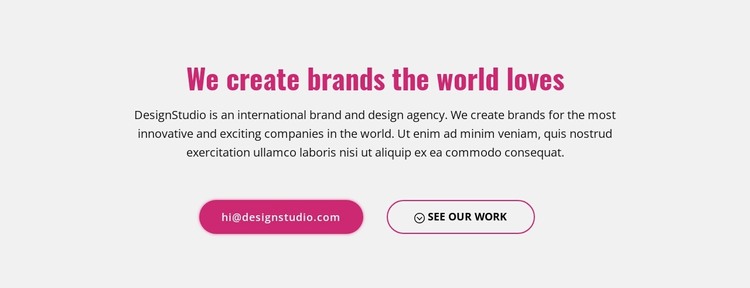
The heading and supporting paragraph read as stable page content for an agency or creative-services introduction. They establish one clear subject before the two links offer different ways to continue. Visitors can use the email contact link to begin direct communication, or choose the work-showcase link to inspect examples before making contact. This content relationship fits a permanent About or services-context region more naturally than a time-sensitive post stream.
The centered arrangement keeps the message independent from the wider page while the two pill buttons make the available routes easy to distinguish. The filled button carries stronger emphasis, and the outlined button provides a lighter secondary treatment. On larger screens, both actions share a horizontal row; on smaller screens, they stack without changing their order or purpose. The light gray background and generous vertical spacing give the section a defined boundary, while the magenta heading supplies a recognizable accent for the broader design.
Within a WordPress-oriented project, this block can remain a reusable visual section on a managed page while other content areas handle additional services, portfolio material, or broader site information. The section does not need to carry the whole page: its value lies in preserving a concise brand message and two practical next steps. That makes it suitable for page content that should remain visually consistent as the surrounding WordPress-managed project develops.
Customize with Nicepage
Open this ready-made template in the WordPress Website Builder and customize it visually in the Nicepage editor. Replace demo content, edit page sections, and adapt the design to your project without rebuilding the template from scratch.
Edit Template Offline
2. Create a new page or select existing
3. Click Add new block, search for id 1280853 and click enter
Edit Template Online
Create Awesome Websites


Free Nicepage Builder
Keywords
Manage and Edit This Theme in WordPress
Customize and Install the WordPress Theme
Start with this ready-made theme instead of building the WordPress design from scratch. Customize its layout, content, typography, images, sections, and other design elements visually in Nicepage editor, then export and install the WordPress Theme, Plugin, and Pages on your WordPress site. The Nicepage WordPress Plugin lets you continue working with the site after installation.
Edit the Theme Directly in WordPress
After installation, you can edit the WordPress Theme directly in WordPress with the Nicepage WordPress Plugin. Use Site Style to customize site Colors, Fonts, Header, Footer, Blog, and Post Page Templates while working within your WordPress website.
Edit WordPress Pages Visually
Use the Nicepage WordPress Plugin to edit page content directly from the WordPress admin area. Open a WordPress Page with Nicepage and visually change its text, images, sections, and other page elements while continuing to manage the Page through WordPress.
WordPress Content and Theme Integration
Use the customized theme with WordPress Pages, Posts, Blog and Post Templates, menus, widgets, and other CMS-managed content. Shared theme elements such as Colors, Fonts, Header, Footer, Blog, and Post Page Templates can be managed as part of the overall site design, while WordPress provides the CMS environment for managing site content.
This workflow combines a ready-made WordPress Theme with visual customization, direct theme editing in WordPress, and continued content management through the Nicepage WordPress Plugin.