Marketing Funnel Landing Template


Edit Template Offline
2. Create new page and search for id 6641986
Edit Template Online
Create Awesome Websites


Free Nicepage Builder
Keywords
Four Services and Three Campaign Examples Make the Offer Specific
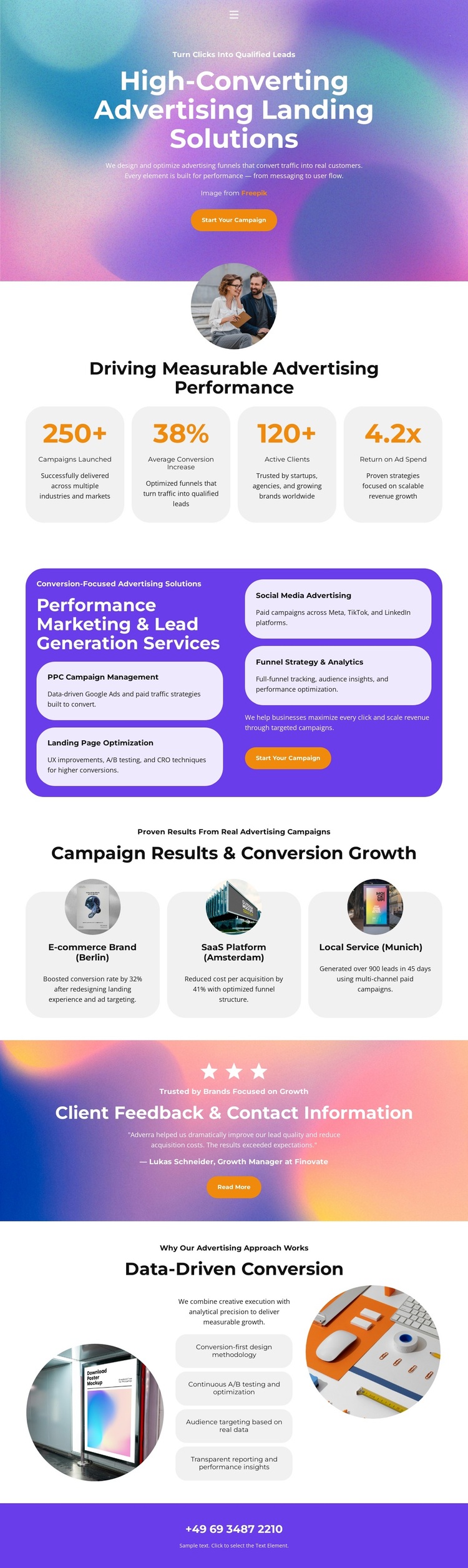
The design leads with a clear advertising subject, then quickly shows what the offer contains. Its four service cards cover PPC campaign management, social media advertising, funnel strategy and analytics, and landing page optimization, giving the template more content specificity than a generic agency introduction. Each service occupies a rounded card inside a purple panel, so visitors can scan the range of work while still seeing the services as one connected offer.
Four performance cards add a separate results-oriented layer near the top of the page. Their displayed metrics are sample content rather than independently verified achievements, but the section demonstrates how a campaign-focused design can present measurable indicators without making them the entire message. The three campaign result cards then extend the story through examples associated with Berlin, Amsterdam, and Munich. Circular imagery makes those examples visually distinct from the service grid and gives the page a compact case-oriented rhythm.
The template is worth considering when a project needs to combine an immediate campaign invitation with service coverage, proof, method, and contact content. A testimonial with star rating supports trust, while the data-driven conversion section explains continuous testing, audience targeting, reporting, and conversion-first thinking. The final phone strip leaves a direct response channel visible. Together, these relationships make this design a focused option for advertising projects that need more than a hero and a single generic agency statement.
Customize with Nicepage
Open this ready-made template in the Template Builder and customize it visually in the Nicepage editor. Replace demo content, edit page sections, and adapt the design to your project without rebuilding the template from scratch.
Start With a Ready-Made Template
Choose a Design for a New Page
Use a ready-made template as a starting point instead of creating every page from a blank canvas. When adding a new page in Nicepage, browse available designs, compare different layouts, and choose an option that already fits the general purpose and visual direction of your project.
Browse Different Page Designs
Explore Page Designs using search, thematic categories, Design Sets, and full-page previews. The collection includes layouts for different subjects and page purposes, making it easier to compare alternatives before selecting a design to customize.
Customize the Selected Template
After choosing a design, create the page and continue editing it visually in Nicepage. Replace the demo content, adjust images, typography, colors, sections, and other elements, and adapt the ready-made layout to your own content instead of rebuilding the design from the beginning.
Explore More Design Directions
If the first option does not match your project closely enough, return to the design collection and compare other templates before committing to a layout. This makes the template library useful not only for faster page creation, but also for exploring different visual approaches and finding a suitable starting point for a new project.
This workflow gives you access to a broad collection of ready-made designs that can be selected, compared, and customized according to the needs of each new page or project.