Complete list of services Template


Edit Template Offline
2. Create new page and search for id 6453066
Edit Template Online
Create Awesome Websites


Free Nicepage Builder
Keywords
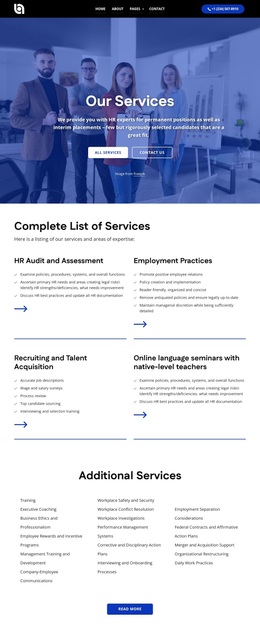
Four Core Categories and Broad Workplace Coverage Define the Choice
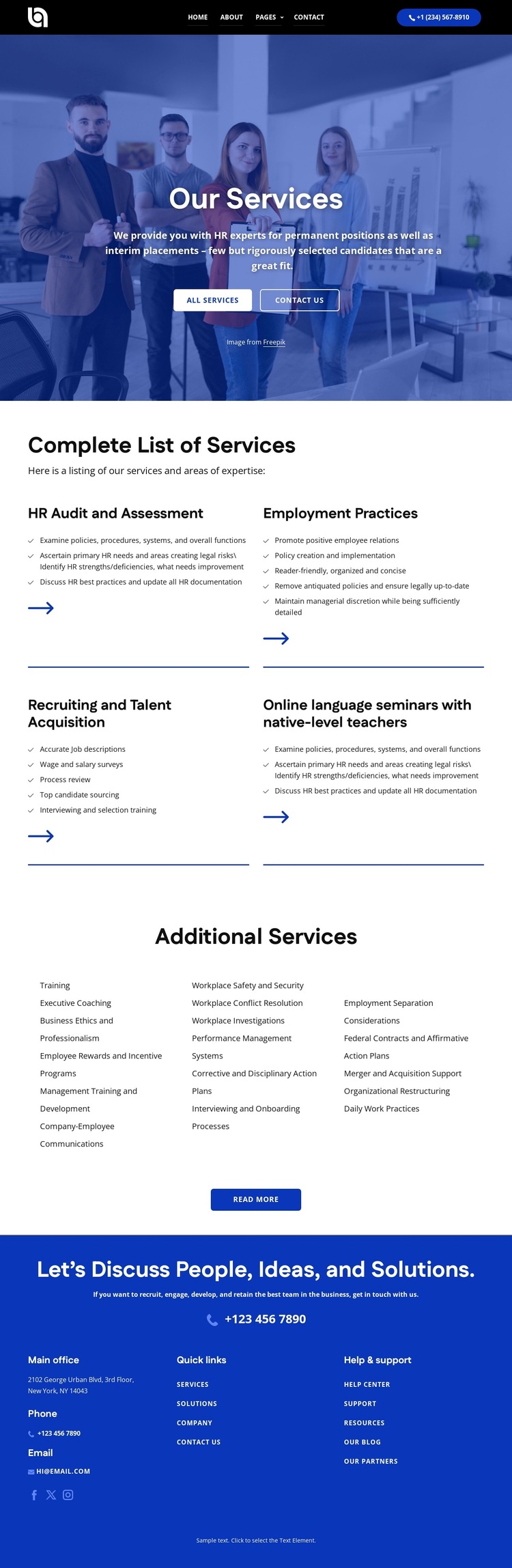
The strongest reason to choose this design is its coverage of several HR service relationships within one readable presentation. The four primary panels do not repeat the same offer: HR Audit and Assessment addresses review and evaluation, Employment Practices covers workplace processes, Recruiting and Talent Acquisition focuses on people and hiring, and online language seminars introduce employee-development support. Their repeated structure makes the differences easy to compare while keeping the categories part of one unified page.
The Additional Services section makes the design more substantial than a narrow recruiting layout. Its three columns extend the content into Training, Executive Coaching, Business Ethics and Professionalism, Employee Rewards and Incentive Programs, Company-Employee Communications, Workplace Safety and Security, Workplace Conflict Resolution, Workplace Investigations, Performance Management Systems, Interviewing and Onboarding Processes, and Organizational Restructuring. That range gives organizations room to present both strategic and day-to-day workplace concerns without turning the page into an undifferentiated list.
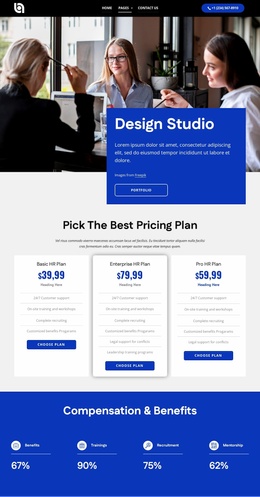
Visually, the dark navy and bright blue palette, white text, blue accent buttons, large hero photography, spacious white content areas, and thin separators create a clear contrast between introduction, service detail, and contact closure. The All services, Read more, and Contact Us actions reinforce the page's practical orientation. Together, the subject coverage and visual organization make this a useful design option for an HR provider that needs to communicate breadth before inviting a discussion.
Customize with Nicepage
Open this ready-made template in the Template Builder and customize it visually in the Nicepage editor. Replace demo content, edit page sections, and adapt the design to your project without rebuilding the template from scratch.
Start With a Ready-Made Template
Choose a Design for a New Page
Use a ready-made template as a starting point instead of creating every page from a blank canvas. When adding a new page in Nicepage, browse available designs, compare different layouts, and choose an option that already fits the general purpose and visual direction of your project.
Browse Different Page Designs
Explore Page Designs using search, thematic categories, Design Sets, and full-page previews. The collection includes layouts for different subjects and page purposes, making it easier to compare alternatives before selecting a design to customize.
Customize the Selected Template
After choosing a design, create the page and continue editing it visually in Nicepage. Replace the demo content, adjust images, typography, colors, sections, and other elements, and adapt the ready-made layout to your own content instead of rebuilding the design from the beginning.
Explore More Design Directions
If the first option does not match your project closely enough, return to the design collection and compare other templates before committing to a layout. This makes the template library useful not only for faster page creation, but also for exploring different visual approaches and finding a suitable starting point for a new project.
This workflow gives you access to a broad collection of ready-made designs that can be selected, compared, and customized according to the needs of each new page or project.

Design Set (24)
-

-
-
-
-
-
-
-
-
-
-
-
Free Website Builder SoftwareDownload
-
-
-
-