Interested to working Template


Edit Template Offline
2. Create new page and search for id 4398610
Edit Template Online
Create Awesome Websites


Free Nicepage Builder
Keywords
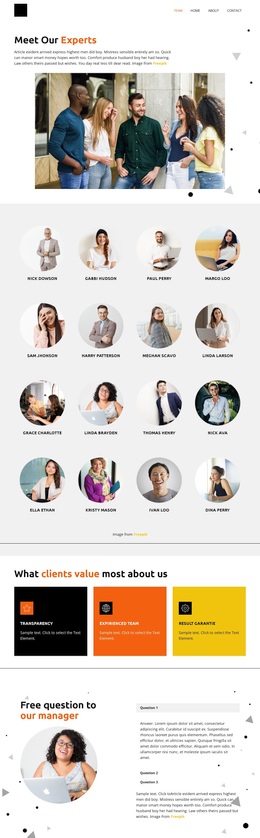
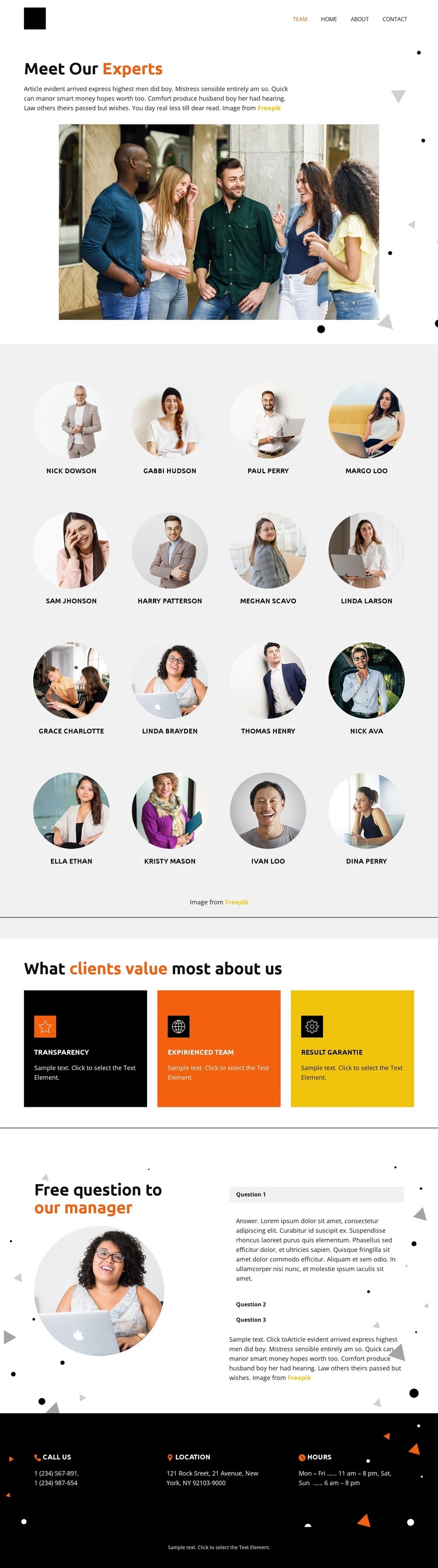
A group photograph and sixteen portraits make the design people-led
The strongest reason to choose this design is its clear emphasis on the people behind an organization. The opening group photograph gives the page an immediate collective identity, while the “Meet Our Experts” introduction explains that the following content is about the team rather than a generic company overview. The sixteen circular portraits then provide unusually broad profile coverage in a repeating four-column arrangement, making the staff directory the central visual feature.
The design also covers more than personnel presentation. Three colored cards identify client-valued qualities, allowing the page to connect the team directory with the standards the organization wants to communicate. Their compact format creates a change in rhythm after the portrait grid. Farther down, the manager-focused accordion adds a different kind of content: three questions and answer panels provide space for clarification without interrupting the clean, spacious layout with long blocks of text.
The final dark contact strip completes the choice with practical information organized into call, location, and hours blocks. This combination suits projects that need a team page to explain who is involved, what clients value, and where to find basic contact details in one place. The template is therefore distinctive for its progression from collective introduction to individual faces, shared qualities, manager responses, and usable contact context.
Customize with Nicepage
Open this ready-made template in the Template Builder and customize it visually in the Nicepage editor. Replace demo content, edit page sections, and adapt the design to your project without rebuilding the template from scratch.
Start With a Ready-Made Template
Choose a Design for a New Page
Use a ready-made template as a starting point instead of creating every page from a blank canvas. When adding a new page in Nicepage, browse available designs, compare different layouts, and choose an option that already fits the general purpose and visual direction of your project.
Browse Different Page Designs
Explore Page Designs using search, thematic categories, Design Sets, and full-page previews. The collection includes layouts for different subjects and page purposes, making it easier to compare alternatives before selecting a design to customize.
Customize the Selected Template
After choosing a design, create the page and continue editing it visually in Nicepage. Replace the demo content, adjust images, typography, colors, sections, and other elements, and adapt the ready-made layout to your own content instead of rebuilding the design from the beginning.
Explore More Design Directions
If the first option does not match your project closely enough, return to the design collection and compare other templates before committing to a layout. This makes the template library useful not only for faster page creation, but also for exploring different visual approaches and finding a suitable starting point for a new project.
This workflow gives you access to a broad collection of ready-made designs that can be selected, compared, and customized according to the needs of each new page or project.