Our unique consulting approach Template



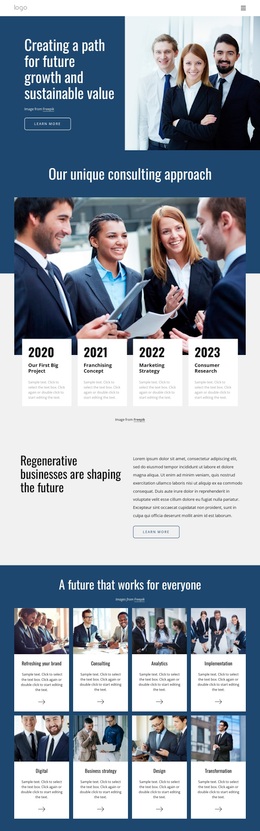
Overlapping Year Cards Give the Consulting Story a Clear Visual Signature
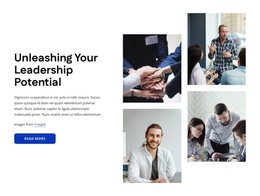
The combination of a dark blue heading band, a wide discussion image, and four white cards creates a section design that is more distinctive than a simple row of text columns. The heading “Our unique consulting approach” sets the subject first, then the photograph supplies a broad human scene before the milestone cards move forward across its lower edge. That overlap is the main design choice: it connects the image and timeline while giving the repeated items a strong visual position.
The four cards also provide concrete content coverage. They move from 2020’s “Our First Big Project” through 2021’s “Franchising Concept,” 2022’s “Marketing Strategy,” and 2023’s “Consumer Research.” Because every card contains a year, title, and supporting paragraph, the layout can present a structured consulting history without relying on a large number of separate sections. The black year typography and white surfaces stand out against the image, while the light gray area below helps preserve separation around the row.
This makes the block a useful choice when a page needs to communicate an approach, development path, or company-history message with visible visual emphasis. It is especially suited to projects that want chronological information to feel connected to people and discussion rather than displayed as an isolated list. The centered image credit keeps attribution clear without interrupting the timeline’s primary reading path.
Customize with Nicepage
Open this ready-made template in the Template Builder and customize it visually in the Nicepage editor. Replace demo content, edit page sections, and adapt the design to your project without rebuilding the template from scratch.
Edit Template Offline
2. Create a new page or select existing
3. Click Add new block, search for id 2376193 and click enter
Edit Template Online
Create Awesome Websites


Free Nicepage Builder
Keywords
Start With a Ready-Made Template
Choose a Design for a New Page
Use a ready-made template as a starting point instead of creating every page from a blank canvas. When adding a new page in Nicepage, browse available designs, compare different layouts, and choose an option that already fits the general purpose and visual direction of your project.
Browse Different Page Designs
Explore Page Designs using search, thematic categories, Design Sets, and full-page previews. The collection includes layouts for different subjects and page purposes, making it easier to compare alternatives before selecting a design to customize.
Customize the Selected Template
After choosing a design, create the page and continue editing it visually in Nicepage. Replace the demo content, adjust images, typography, colors, sections, and other elements, and adapt the ready-made layout to your own content instead of rebuilding the design from the beginning.
Explore More Design Directions
If the first option does not match your project closely enough, return to the design collection and compare other templates before committing to a layout. This makes the template library useful not only for faster page creation, but also for exploring different visual approaches and finding a suitable starting point for a new project.
This workflow gives you access to a broad collection of ready-made designs that can be selected, compared, and customized according to the needs of each new page or project.