Dental Practice Website Template


A Reusable Practice Introduction Within a Broader Site
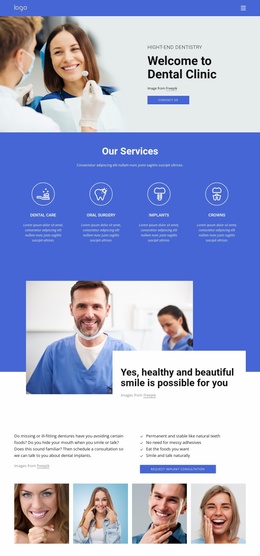
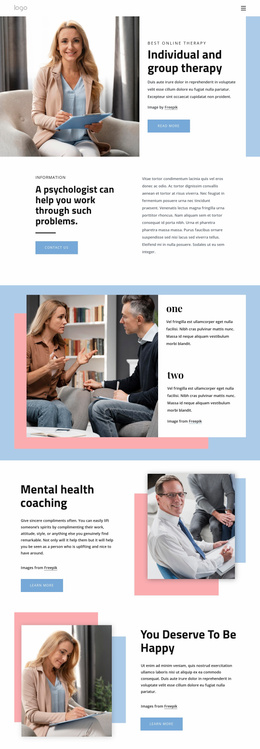
The block already establishes one clear website content area: a dental-practice introduction supported by a patient-care photograph. The image-left and overlapping text-card-right layout gives the section a stable pattern, while the white panel groups the “Award-winning Dental Practice” heading, supporting paragraph, and “learn more” button. Pink and blue rectangular accents add a recognizable visual cue that can be coordinated with related sections without requiring every area to repeat the same overlap.
Inside a broader website project, this block could introduce the practice before other sections explain treatments, clinicians, patient guidance, testimonials, or contact options. Its responsibility remains focused: identify the practice, provide a short explanation, and direct visitors toward more information. The surrounding project supplies the additional content and page relationships, so the block does not need to act as a complete site or multi-page structure.
The section can also serve as a reusable visual pattern when a project needs a strong introduction with an image and concise copy rather than a dense list of services. The geometric accents, white card, and blue heading may be echoed selectively in other blocks to maintain continuity. Nicepage’s Page Design Set can help locate related designs for the broader project, while this block retains its own content role.
Customize with Nicepage
Open this ready-made template in the Website Template Builder and customize it visually in the Nicepage editor. Replace demo content, edit page sections, and adapt the design to your project without rebuilding the template from scratch.
Edit Template Offline
2. Create a new page or select existing
3. Click Add new block, search for id 74625 and click enter
Edit Template Online
Create Awesome Websites


Free Nicepage Builder
Keywords
Use This Block in a Broader Website Template Project
Treat the Block as One Reusable Site Section
A website project is assembled from multiple pages and sections. The analyzed block provides one reusable content area—such as services, About, testimonials, pricing, gallery, team, or contact—while the rest of the site supplies other page-level functions.
Coordinate the Section With Other Pages
Use the Pages panel to manage the pages of the broader project. The block can remain one consistent section pattern while related pages add deeper information or different content without implying that the Block ID itself contains those pages.
Expand With Matching Designs
When additional pages or sections are needed, Page Design Sets can help locate matching Page and Block Designs. This can extend the visual direction around the existing block while keeping the site's other content areas separate.
This workflow treats the block as a reusable building unit inside a larger Website Template project, not as a complete website foundation on its own.