Design of future technology Website Template


Edit Template Offline
2. Create new page and search for id 12295
Edit Template Online
Create Awesome Websites


Free Nicepage Builder
Keywords
Project galleries and information blocks establish a site foundation
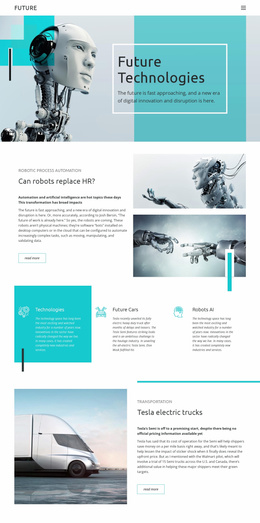
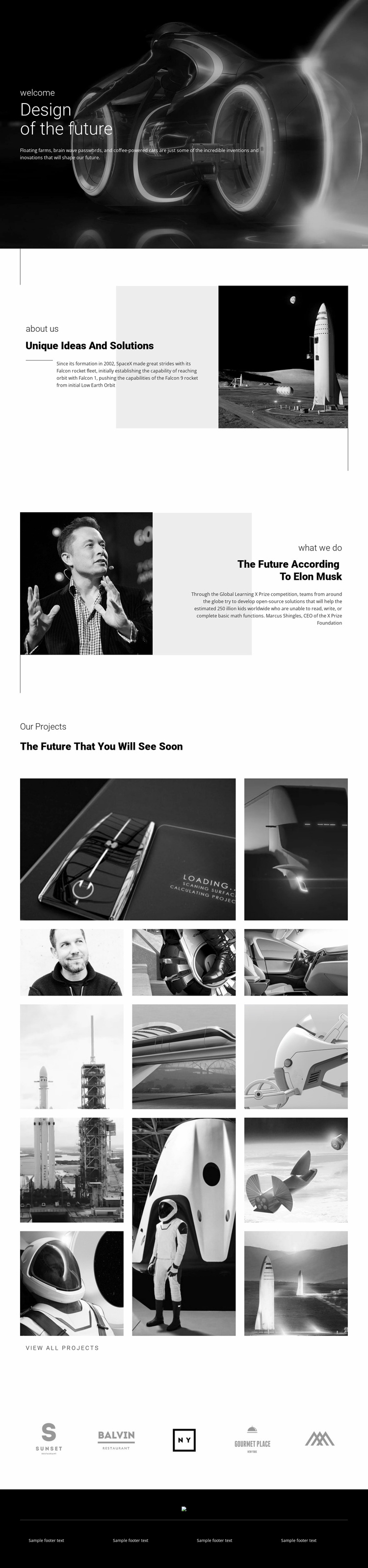
The design already defines several major content areas that can anchor a broader technology website. The dark hero introduces the future-oriented subject, while the “Unique Ideas And Solutions” section gives the concept a dedicated explanatory area beside a prominent rocket image. The following portrait-led block adds a second information perspective, allowing future-focused commentary to sit apart from the introductory statement. Together, these sections provide more than a decorative homepage opening: they establish a visual and editorial direction for related pages or expanded content areas.
The two galleries provide the strongest foundation for project-oriented growth. The first presents five images in an asymmetrical arrangement, creating an introductory showcase with a clear lead image and supporting visuals. The second adds eight images across three vertical columns and includes the “View all projects” action. This separation can support a distinction between selected work and a fuller project presentation without claiming that additional project pages already exist. The gallery structure also gives future site content a consistent way to present experimental vehicles, aerospace, robotics, or other technology imagery.
Five brand marks form a separate horizontal region that can support partner or affiliation content, while the dark footer gathers four text areas into a reusable closing structure. The monochrome treatment, geometric accents, and compact typography can therefore guide additional pages as the project expands, keeping the broader site connected to the identity established by this design.
Customize with Nicepage
Open this ready-made template in the Website Template Builder and customize it visually in the Nicepage editor. Replace demo content, edit page sections, and adapt the design to your project without rebuilding the template from scratch.
Build a Complete Website From This Template
Customize the Website Visually
Use this ready-made website template as a starting point for your project and adapt its pages visually in Nicepage. Change content, images, typography, navigation, sections, and other design elements while keeping the website together as a single editable project.
Manage Website Pages in One Project
Use the Pages panel to open, add, duplicate, and manage the pages of your website. Work on individual pages while keeping navigation and the overall site structure accessible from the same project, making it easier to develop a complete website instead of managing separate page files.
Expand the Website With Matching Designs
When you need additional pages or sections, use Page Design Sets to find Page and Block Designs created in the same visual style. Design Sets group matching designs together, making it easier to expand the website with new content while maintaining a consistent look across its pages and sections.
Organize Larger Multi-Page Websites
As the website grows, use Page Folders to organize related pages and keep larger multi-page projects easier to navigate in the editor. This is especially useful for websites with separate service pages, company information, contacts, landing pages, and other content areas.
This workflow makes the template a practical foundation for building and expanding a complete website while managing its pages, content, and visual design within one Nicepage project.