Smart life weekly Website Template


A Reusable Four-Post Pattern Supports Broader Site Content
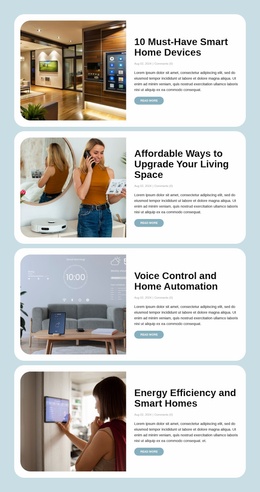
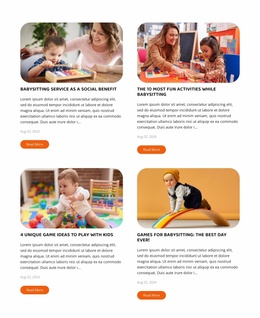
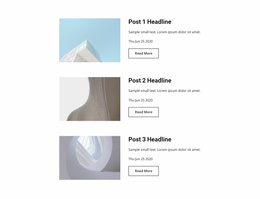
The block supplies one clearly defined content area for a broader website project: a related blog-post section with four entries. Its subjects cover smart-home devices, living-space upgrades, voice control and automation, and energy efficiency, allowing the section to support an editorial or technology-focused part of the site. Each entry remains self-contained through its featured image, article title, date and comment metadata, excerpt, and Read More link.
The repeated card structure makes the section reusable as a pattern. Images consistently occupy the left side, while the article information stays on the right, so additional content areas can follow the same visual logic if the wider project calls for it. Pale blue surrounds the sequence, white rounded cards separate the posts, and generous vertical spacing preserves clarity across all four items. The muted blue links provide a recognizable action treatment without turning the section into a standalone page experience.
Inside a broader website template project, this block can handle the blog or insights role while other sections address introductions, services, portfolios, contact information, or other content. The section’s stable layout and visual rules can coordinate with those neighboring areas, but the block itself remains one reusable article-listing component rather than a complete website structure.
Customize with Nicepage
Open this ready-made template in the Website Template Builder and customize it visually in the Nicepage editor. Replace demo content, edit page sections, and adapt the design to your project without rebuilding the template from scratch.
Edit Template Offline
2. Create a new page or select existing
3. Click Add new block, search for id 6546567 and click enter
Edit Template Online
Create Awesome Websites


Free Nicepage Builder
Keywords
Build a Complete Website From This Template
Customize the Website Visually
Use this ready-made website template as a starting point for your project and adapt its pages visually in Nicepage. Change content, images, typography, navigation, sections, and other design elements while keeping the website together as a single editable project.
Manage Website Pages in One Project
Use the Pages panel to open, add, duplicate, and manage the pages of your website. Work on individual pages while keeping navigation and the overall site structure accessible from the same project, making it easier to develop a complete website instead of managing separate page files.
Expand the Website With Matching Designs
When you need additional pages or sections, use Page Design Sets to find Page and Block Designs created in the same visual style. Design Sets group matching designs together, making it easier to expand the website with new content while maintaining a consistent look across its pages and sections.
Organize Larger Multi-Page Websites
As the website grows, use Page Folders to organize related pages and keep larger multi-page projects easier to navigate in the editor. This is especially useful for websites with separate service pages, company information, contacts, landing pages, and other content areas.
This workflow makes the template a practical foundation for building and expanding a complete website while managing its pages, content, and visual design within one Nicepage project.