At the end of the earth Website Template


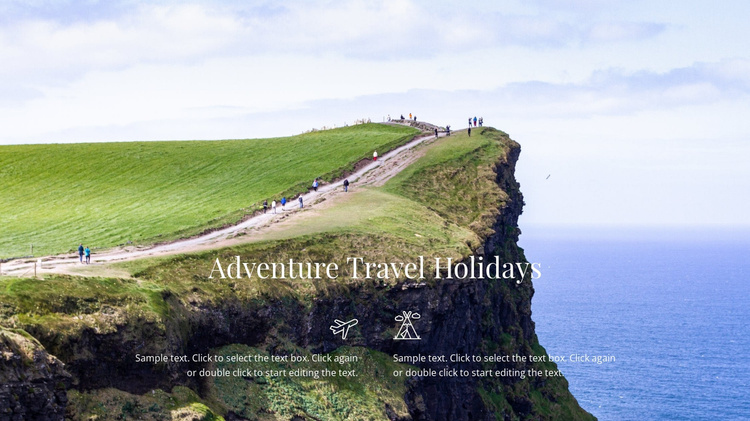
The Coastal Hero Creates a Reusable Travel Introduction
The full-width cliff-and-sea image gives this section an immediate sense of place, while the centered “Adventure Travel Holidays” heading states the subject in a single, prominent line. Below it, two side-by-side icon-and-paragraph items extend the introduction without turning the hero into a dense content grid. Their outlined white treatment keeps the supporting information connected to the image and maintains a unified visual field.
Inside a broader website template project, this block can serve as a repeatable travel introduction for a page that later adds destination details, itineraries, galleries, or inquiry content. The two supporting areas are useful when the project needs to explain complementary aspects of an adventure holiday at a glance, while the surrounding pages or sections handle deeper information. The block contributes a defined content role rather than attempting to represent the whole website.
Its static structure also makes the section easy to coordinate with neighboring designs. Visitors see the heading and both supporting summaries together, so the block can establish the travel direction early and leave subsequent sections to develop the offering in greater detail. The scenic image, centered hierarchy, and two-item row form a recognizable pattern that can be reused where a project needs a strong but concise holiday introduction.
Customize with Nicepage
Open this ready-made template in the Website Template Builder and customize it visually in the Nicepage editor. Replace demo content, edit page sections, and adapt the design to your project without rebuilding the template from scratch.
Edit Template Offline
2. Create a new page or select existing
3. Click Add new block, search for id 62503 and click enter
Edit Template Online
Create Awesome Websites


Free Nicepage Builder
Keywords
Build a Complete Website From This Template
Customize the Website Visually
Use this ready-made website template as a starting point for your project and adapt its pages visually in Nicepage. Change content, images, typography, navigation, sections, and other design elements while keeping the website together as a single editable project.
Manage Website Pages in One Project
Use the Pages panel to open, add, duplicate, and manage the pages of your website. Work on individual pages while keeping navigation and the overall site structure accessible from the same project, making it easier to develop a complete website instead of managing separate page files.
Expand the Website With Matching Designs
When you need additional pages or sections, use Page Design Sets to find Page and Block Designs created in the same visual style. Design Sets group matching designs together, making it easier to expand the website with new content while maintaining a consistent look across its pages and sections.
Organize Larger Multi-Page Websites
As the website grows, use Page Folders to organize related pages and keep larger multi-page projects easier to navigate in the editor. This is especially useful for websites with separate service pages, company information, contacts, landing pages, and other content areas.
This workflow makes the template a practical foundation for building and expanding a complete website while managing its pages, content, and visual design within one Nicepage project.