Successful design strategy Website Template



A Centered Strategy Introduction Followed by Three Reusable Service Areas
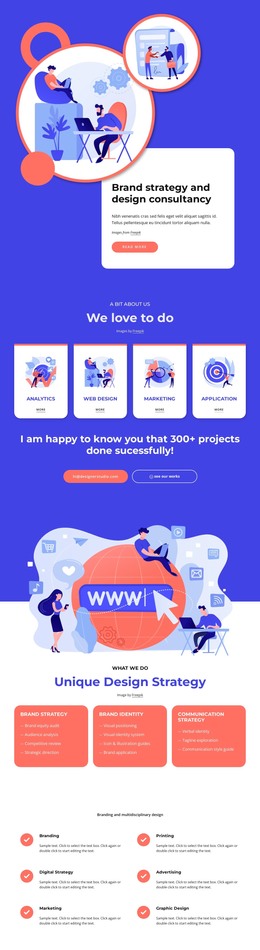
The block establishes one focused website content area through a centered sequence: a large rounded illustration appears first, followed by the “What We Do” label, the “Unique Design Strategy” heading, and the image attribution. This introduction gives the section a recognizable identity before the content expands into three horizontally aligned service cards. Brand strategy, Brand identity, and Communication strategy each receive their own coral card, white uppercase title, and dash-led list of activities.
The arrangement can serve as a reusable services section inside a broader website project because its content purpose is self-contained. It explains three related capability groups without attempting to cover every page-level role. The repeated card treatment also creates a stable pattern that can sit alongside other sections handling introductions, work examples, process details, or contact information. The four activities under Brand strategy and Brand identity, together with the three under Communication strategy, provide enough variation to distinguish the offerings while preserving a consistent visual rhythm.
The bright blue and coral palette, white space, and strong centered alignment give this particular section a clear visual direction. Reusing it within a website template project would preserve that service-focused pattern while allowing the surrounding site to coordinate colors, typography, and neighboring content separately. Its static presentation keeps all three categories available for immediate comparison.
Customize with Nicepage
Open this ready-made template in the Website Template Builder and customize it visually in the Nicepage editor. Replace demo content, edit page sections, and adapt the design to your project without rebuilding the template from scratch.
Edit Template Offline
2. Create a new page or select existing
3. Click Add new block, search for id 3109230 and click enter
Edit Template Online
Create Awesome Websites


Free Nicepage Builder
Keywords
Build a Complete Website From This Template
Customize the Website Visually
Use this ready-made website template as a starting point for your project and adapt its pages visually in Nicepage. Change content, images, typography, navigation, sections, and other design elements while keeping the website together as a single editable project.
Manage Website Pages in One Project
Use the Pages panel to open, add, duplicate, and manage the pages of your website. Work on individual pages while keeping navigation and the overall site structure accessible from the same project, making it easier to develop a complete website instead of managing separate page files.
Expand the Website With Matching Designs
When you need additional pages or sections, use Page Design Sets to find Page and Block Designs created in the same visual style. Design Sets group matching designs together, making it easier to expand the website with new content while maintaining a consistent look across its pages and sections.
Organize Larger Multi-Page Websites
As the website grows, use Page Folders to organize related pages and keep larger multi-page projects easier to navigate in the editor. This is especially useful for websites with separate service pages, company information, contacts, landing pages, and other content areas.
This workflow makes the template a practical foundation for building and expanding a complete website while managing its pages, content, and visual design within one Nicepage project.

Design Set (26)
-

-
-
-
-
-
-
-
-
-
-
-
-
-
-
Customize Any TemplateDownload
-
-
-
-
-
-