World Cup 2018 Website Template


Edit Template Offline
2. Create new page and search for id 25118
Edit Template Online
Create Awesome Websites


Free Nicepage Builder
Keywords
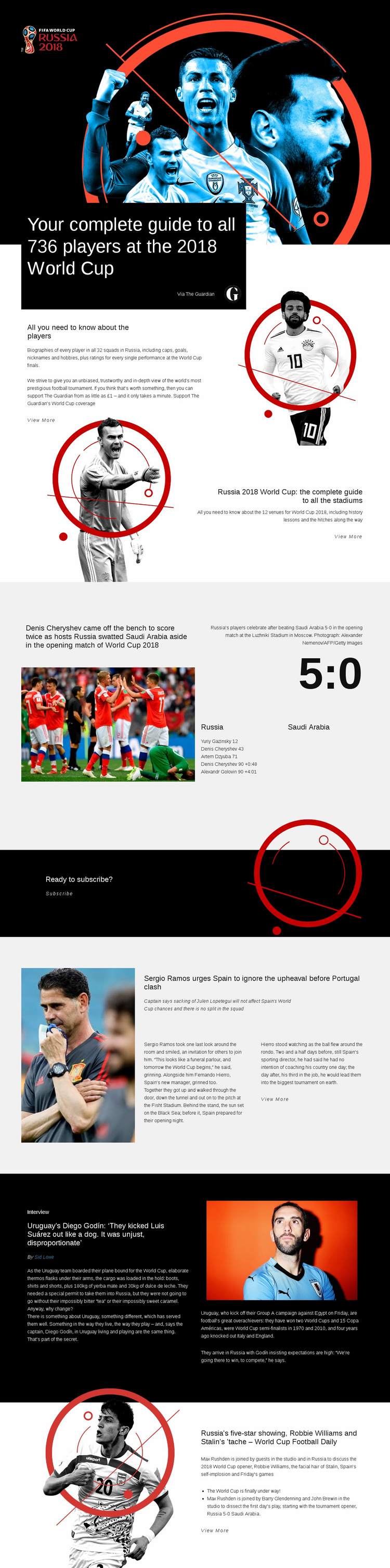
Player guides and varied features establish a wider sports-site foundation
The design already defines several major content areas that could anchor a broader sports media project. The opening player guide covers 736 players across 32 squads, and the following section adds biographies, caps, goals, nicknames, hobbies, and performance ratings. That is a substantial reference category rather than a single promotional message. The stadium block adds another durable content area by covering 12 World Cup venues and their history.
Event-driven coverage is represented by the Russia–Saudi Arabia opening-match report. Its photograph, 5:0 score, goal details, and Luzhniki Stadium caption show how a wider site could combine factual match reporting with visual storytelling. The Spain team feature and Diego Godín interview then demonstrate two different editorial directions: team news and a bylined conversation supported by a pull quote and football imagery. The World Cup Football Daily section adds a recurring discussion format with named contributors.
Together, these areas give a website project a useful starting information architecture: reference guides, match reports, team features, interviews, audio-style commentary, and subscription content. The existing design does not prove that additional pages already exist, but its distinct content regions can guide later expansion into related coverage. Shared visual treatment across those regions would help a larger project grow without losing the recognizable World Cup publication character.
Customize with Nicepage
Open this ready-made template in the Website Template Builder and customize it visually in the Nicepage editor. Replace demo content, edit page sections, and adapt the design to your project without rebuilding the template from scratch.
Build a Complete Website From This Template
Customize the Website Visually
Use this ready-made website template as a starting point for your project and adapt its pages visually in Nicepage. Change content, images, typography, navigation, sections, and other design elements while keeping the website together as a single editable project.
Manage Website Pages in One Project
Use the Pages panel to open, add, duplicate, and manage the pages of your website. Work on individual pages while keeping navigation and the overall site structure accessible from the same project, making it easier to develop a complete website instead of managing separate page files.
Expand the Website With Matching Designs
When you need additional pages or sections, use Page Design Sets to find Page and Block Designs created in the same visual style. Design Sets group matching designs together, making it easier to expand the website with new content while maintaining a consistent look across its pages and sections.
Organize Larger Multi-Page Websites
As the website grows, use Page Folders to organize related pages and keep larger multi-page projects easier to navigate in the editor. This is especially useful for websites with separate service pages, company information, contacts, landing pages, and other content areas.
This workflow makes the template a practical foundation for building and expanding a complete website while managing its pages, content, and visual design within one Nicepage project.