Mustang Website Template


Edit Template Offline
2. Create new page and search for id 24072
Edit Template Online
Create Awesome Websites


Free Nicepage Builder
Keywords
Model Stories and Custom-Build Coverage Establish a Broader Site Foundation
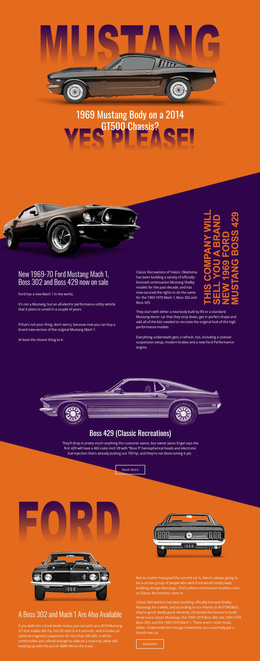
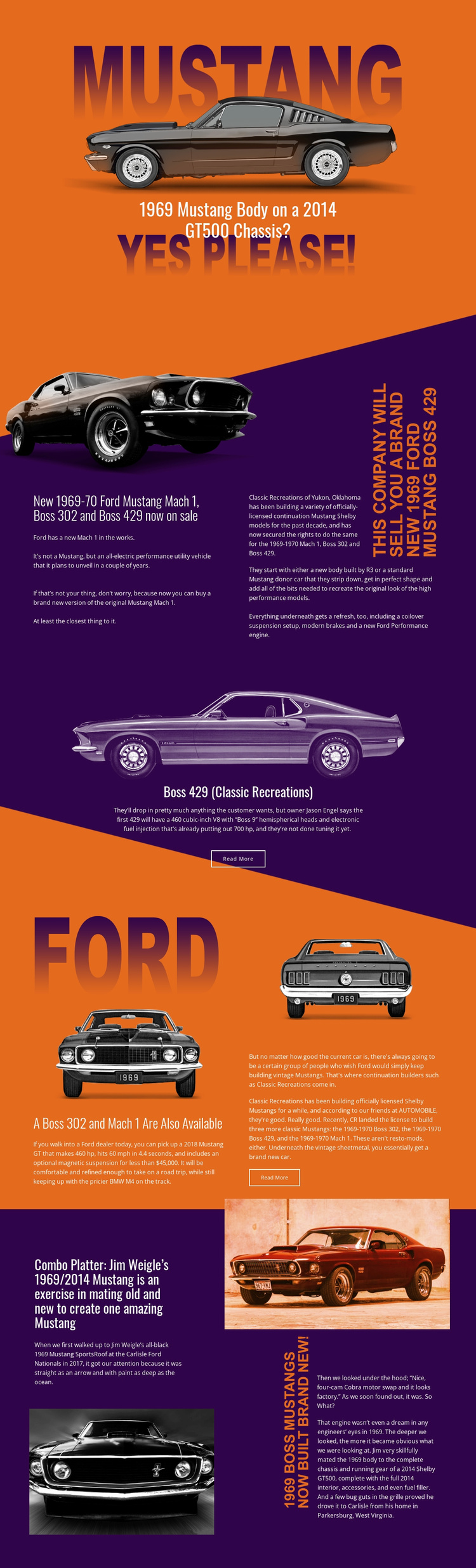
The design already identifies several major content areas for an automotive website: an opening feature, continuation-model coverage, a focused Boss 429 story, additional Mach 1 and Boss 302 information, and a custom-build narrative. These areas can provide an initial information architecture for a project about classic Mustang vehicles, restorations, and related editorial material. The split sections are suited to pairing each subject with a photograph, while the centered Boss 429 panel offers a more prominent treatment for one featured story.
The closing Jim Weigle section expands the foundation beyond model availability by introducing a specific 1969/2014 combination and its technical narrative. That distinction allows a broader project to separate continuation builds from custom engineering or restoration features while keeping them inside the same visual direction. Read More actions mark possible routes to longer content, but the analysis does not establish additional completed pages or a multi-page site set.
The orange and dark purple palette, condensed typography, diagonal transitions, and image-led composition can therefore serve as recurring project rules when related pages are added. The template is a credible starting point because it supplies meaningful content categories and a recognizable automotive identity, not because it proves that a complete multi-page website already exists.
Customize with Nicepage
Open this ready-made template in the Website Template Builder and customize it visually in the Nicepage editor. Replace demo content, edit page sections, and adapt the design to your project without rebuilding the template from scratch.
Build a Complete Website From This Template
Customize the Website Visually
Use this ready-made website template as a starting point for your project and adapt its pages visually in Nicepage. Change content, images, typography, navigation, sections, and other design elements while keeping the website together as a single editable project.
Manage Website Pages in One Project
Use the Pages panel to open, add, duplicate, and manage the pages of your website. Work on individual pages while keeping navigation and the overall site structure accessible from the same project, making it easier to develop a complete website instead of managing separate page files.
Expand the Website With Matching Designs
When you need additional pages or sections, use Page Design Sets to find Page and Block Designs created in the same visual style. Design Sets group matching designs together, making it easier to expand the website with new content while maintaining a consistent look across its pages and sections.
Organize Larger Multi-Page Websites
As the website grows, use Page Folders to organize related pages and keep larger multi-page projects easier to navigate in the editor. This is especially useful for websites with separate service pages, company information, contacts, landing pages, and other content areas.
This workflow makes the template a practical foundation for building and expanding a complete website while managing its pages, content, and visual design within one Nicepage project.