Flex 2 Website Template


Edit Template Offline
2. Create new page and search for id 18333
Edit Template Online
Create Awesome Websites


Free Nicepage Builder
Keywords
Product, activity, and compatibility areas establish a broader site foundation
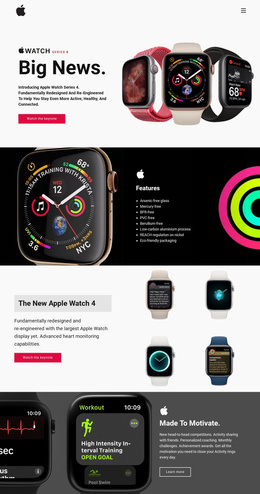
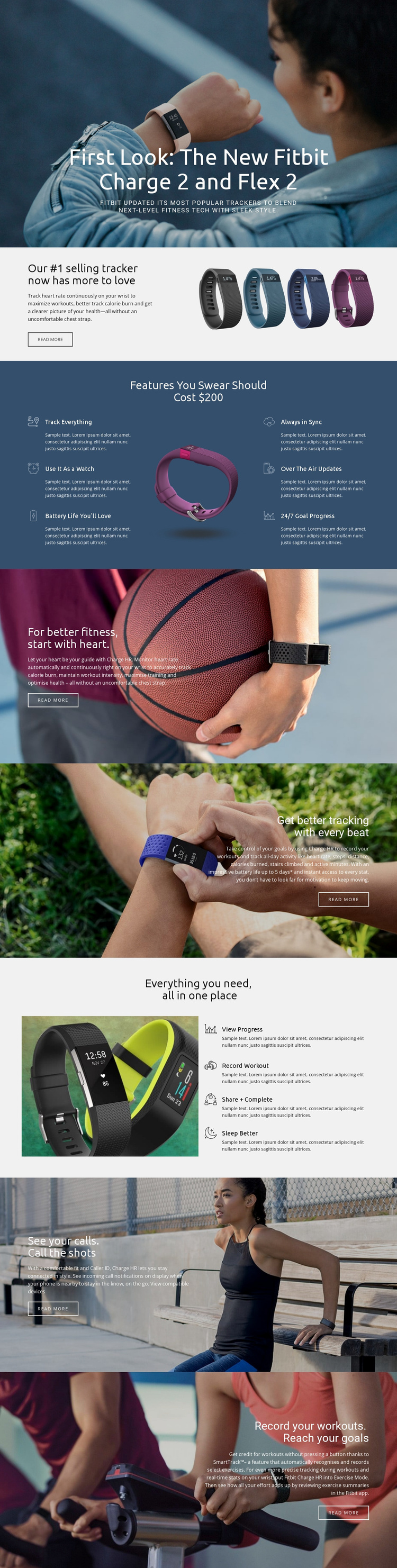
Flex 2 provides more than a single opening statement because its content already identifies several major areas for a wearable technology project. The introductory section establishes the featured devices, while the heart-rate block gives the product a specific health-monitoring subject. The six-item feature area can support a broader capabilities overview, covering activity tracking, watch use, battery life, synchronization, updates, and goal progress without requiring every idea to compete in the hero.
The four tracking actions create another useful content category. Viewing progress, recording workouts, sharing and completing goals, and sleeping better can become the basis for additional explanations or related product content as a project expands. The page also separates connected-device information from exercise information: caller ID, incoming call notifications, and the compatible-device link belong to one subject, while SmartTrack and automated workout recording belong to another.
That division gives a wider website project an initial information architecture built from real content areas rather than only from visual styling. Product pages, feature explanations, activity-focused content, compatibility information, and supporting editorial sections could follow the same photography, gray surfaces, blue accents, and bold heading treatment. The analysis confirms one underlying page, not a complete multi-page set, but its repeated categories and coherent visual system provide a practical foundation for expanding the surrounding website.
Customize with Nicepage
Open this ready-made template in the Website Template Builder and customize it visually in the Nicepage editor. Replace demo content, edit page sections, and adapt the design to your project without rebuilding the template from scratch.
Build a Complete Website From This Template
Customize the Website Visually
Use this ready-made website template as a starting point for your project and adapt its pages visually in Nicepage. Change content, images, typography, navigation, sections, and other design elements while keeping the website together as a single editable project.
Manage Website Pages in One Project
Use the Pages panel to open, add, duplicate, and manage the pages of your website. Work on individual pages while keeping navigation and the overall site structure accessible from the same project, making it easier to develop a complete website instead of managing separate page files.
Expand the Website With Matching Designs
When you need additional pages or sections, use Page Design Sets to find Page and Block Designs created in the same visual style. Design Sets group matching designs together, making it easier to expand the website with new content while maintaining a consistent look across its pages and sections.
Organize Larger Multi-Page Websites
As the website grows, use Page Folders to organize related pages and keep larger multi-page projects easier to navigate in the editor. This is especially useful for websites with separate service pages, company information, contacts, landing pages, and other content areas.
This workflow makes the template a practical foundation for building and expanding a complete website while managing its pages, content, and visual design within one Nicepage project.