Sting Tale Website Template


Edit Template Offline
2. Create new page and search for id 19530
Edit Template Online
Create Awesome Websites


Free Nicepage Builder
Keywords
Career and Musical Features Establish a Foundation for Broader Site Content
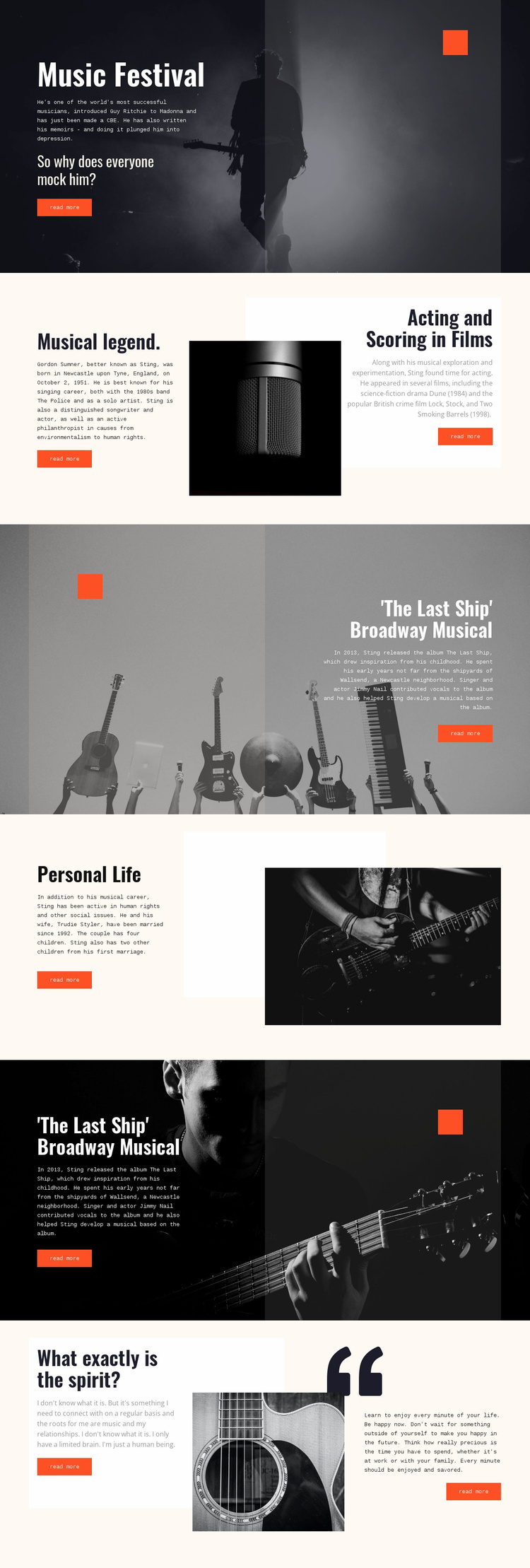
The design already defines several major content areas that can serve as the starting information architecture for a wider biography website. The Music Festival hero introduces the subject, while Musical legend. can anchor core career information about Sting, Gordon Sumner, The Police, and his solo work. Acting and Scoring in Films creates a separate area for screen appearances, including the verified references to Dune and Lock, Stock, and Two Smoking Barrels.
The Last Ship Broadway Musical appears as a substantial repeated feature, giving the project a clear category for album and stage-work content. Personal Life adds another durable area through family and social-issues material beside a monochrome portrait. The final What exactly is the spirit? section supplies a reflective category built around quotations, life advice, and guitar imagery. Together, these areas suggest how a broader site could separate career, screen work, stage work, personal context, and editorial reflections while keeping the visual direction coordinated.
The existing layout should be understood as a foundation rather than proof of a complete multi-page site. Its strong image treatment, alternating light and dark sections, orange accents, and repeated two-column pattern provide a recognizable system that additional biography or music content could follow. The value for a larger website project is the combination of defined subject areas and an established editorial character, not an unsupported claim about pages that are not present in the analysis.
Customize with Nicepage
Open this ready-made template in the Website Template Builder and customize it visually in the Nicepage editor. Replace demo content, edit page sections, and adapt the design to your project without rebuilding the template from scratch.
Build a Complete Website From This Template
Customize the Website Visually
Use this ready-made website template as a starting point for your project and adapt its pages visually in Nicepage. Change content, images, typography, navigation, sections, and other design elements while keeping the website together as a single editable project.
Manage Website Pages in One Project
Use the Pages panel to open, add, duplicate, and manage the pages of your website. Work on individual pages while keeping navigation and the overall site structure accessible from the same project, making it easier to develop a complete website instead of managing separate page files.
Expand the Website With Matching Designs
When you need additional pages or sections, use Page Design Sets to find Page and Block Designs created in the same visual style. Design Sets group matching designs together, making it easier to expand the website with new content while maintaining a consistent look across its pages and sections.
Organize Larger Multi-Page Websites
As the website grows, use Page Folders to organize related pages and keep larger multi-page projects easier to navigate in the editor. This is especially useful for websites with separate service pages, company information, contacts, landing pages, and other content areas.
This workflow makes the template a practical foundation for building and expanding a complete website while managing its pages, content, and visual design within one Nicepage project.