Listening your favorite music Website Template


Edit Template Offline
2. Create new page and search for id 20021
Edit Template Online
Create Awesome Websites


Free Nicepage Builder
Keywords
Product Facts Already Define the Core Website Content Areas
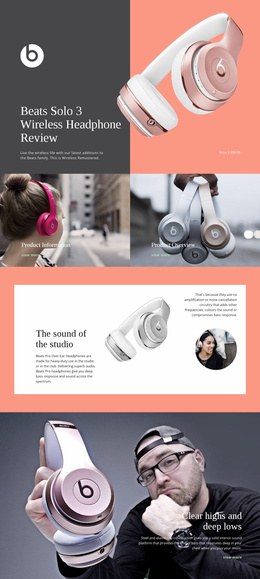
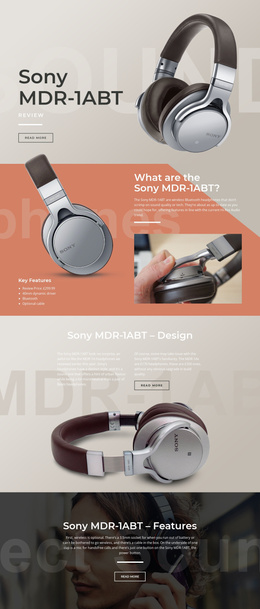
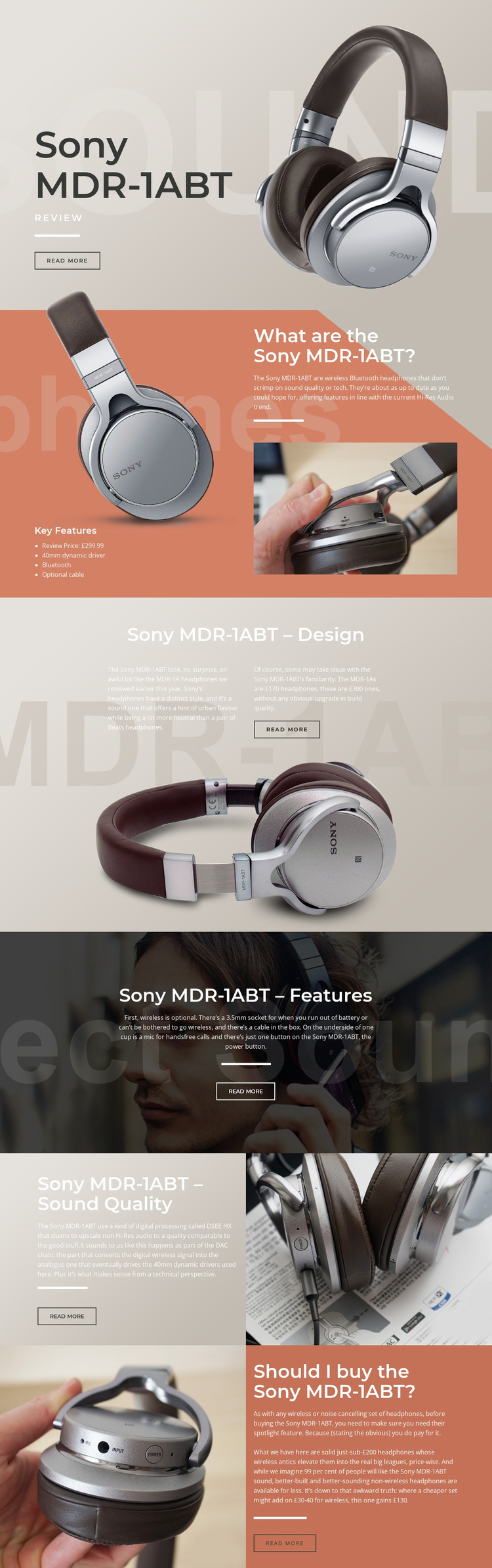
The design gives a broader audio-focused project a clear starting information architecture. The hero introduces the Sony MDR-1ABT, while the overview establishes a durable product-information area containing the four-item feature list, Bluetooth, 40mm dynamic driver, optional cable, and £299.99 review price. The remaining sections then separate the subjects that a headphone website or review project may need to explain: physical design, practical connectivity, sound quality, and purchase value.
Those areas can support expansion without pretending that additional pages already exist. The design section provides a place for construction commentary and comparison with the MDR-1A. The features section groups wireless and wired use, the 3.5mm socket, cable, and hands-free microphone into a practical content region. The sound-quality block creates a separate technical topic around DSEE HX processing and the drivers, while the final recommendation panel can anchor buying guidance or a product conclusion.
The shared visual system gives possible future pages a recognizable foundation. Large white headings, muted beige, coral, gray, and dark photographic surfaces, generous spacing, thin divider lines, and compact outlined buttons can guide related product or editorial content. The existing page is therefore more than an isolated styled screen: it defines recurring content categories and a visual direction that could organize a wider project while preserving the original review’s progression from introduction to evaluation.
Customize with Nicepage
Open this ready-made template in the Website Template Builder and customize it visually in the Nicepage editor. Replace demo content, edit page sections, and adapt the design to your project without rebuilding the template from scratch.
Build a Complete Website From This Template
Customize the Website Visually
Use this ready-made website template as a starting point for your project and adapt its pages visually in Nicepage. Change content, images, typography, navigation, sections, and other design elements while keeping the website together as a single editable project.
Manage Website Pages in One Project
Use the Pages panel to open, add, duplicate, and manage the pages of your website. Work on individual pages while keeping navigation and the overall site structure accessible from the same project, making it easier to develop a complete website instead of managing separate page files.
Expand the Website With Matching Designs
When you need additional pages or sections, use Page Design Sets to find Page and Block Designs created in the same visual style. Design Sets group matching designs together, making it easier to expand the website with new content while maintaining a consistent look across its pages and sections.
Organize Larger Multi-Page Websites
As the website grows, use Page Folders to organize related pages and keep larger multi-page projects easier to navigate in the editor. This is especially useful for websites with separate service pages, company information, contacts, landing pages, and other content areas.
This workflow makes the template a practical foundation for building and expanding a complete website while managing its pages, content, and visual design within one Nicepage project.