Discover highs of education Website Template


Edit Template Offline
2. Create new page and search for id 16615
Edit Template Online
Create Awesome Websites


Free Nicepage Builder
Keywords
Education feature areas provide a foundation for broader site content
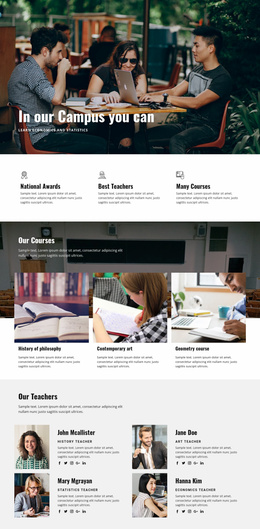
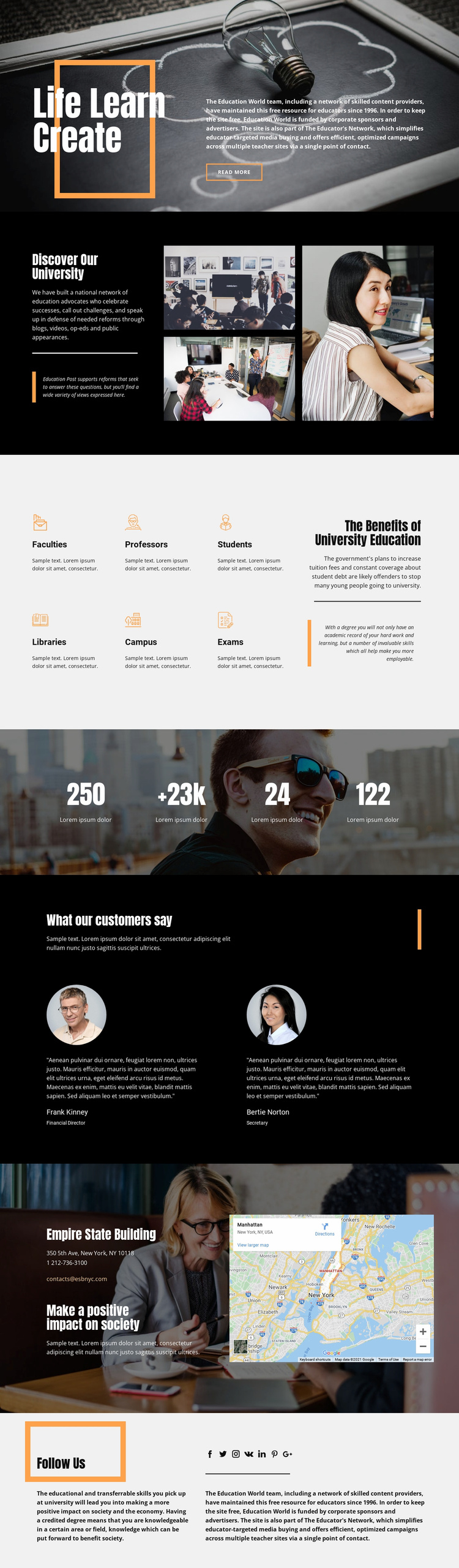
The design already identifies several major content categories that a broader university website could develop. “Discover Our University” supplies an institutional introduction with explanatory copy and a three-image collage, while the six-item feature area names Faculties, Professors, Students, Libraries, Campus, and Exams. These subjects can act as a starting information architecture for additional university content without claiming that separate pages already exist in the template.
The supporting sections add other useful project areas. Two testimonial profiles provide a place for attributed commentary, and the photographic counter band creates a visual location for confirmed institutional highlights once its sample values are replaced or verified. The contact block contributes practical site content through a location name, address, phone number, email address, and map panel. The Follow Us section extends the project toward social communication with visible links represented by seven network icons.
As a website foundation, the design therefore offers more than a single decorative hero. It connects introduction, academic subjects, supporting voices, practical contact information, and social presence within one visual system. Additional pages could expand these categories into faculty information, campus resources, student guidance, or educational commentary if the project requires them. The dark editorial language, orange accents, and image-led sections would help those additions remain related to the starting page rather than becoming disconnected layouts.
Customize with Nicepage
Open this ready-made template in the Website Template Builder and customize it visually in the Nicepage editor. Replace demo content, edit page sections, and adapt the design to your project without rebuilding the template from scratch.
Build a Complete Website From This Template
Customize the Website Visually
Use this ready-made website template as a starting point for your project and adapt its pages visually in Nicepage. Change content, images, typography, navigation, sections, and other design elements while keeping the website together as a single editable project.
Manage Website Pages in One Project
Use the Pages panel to open, add, duplicate, and manage the pages of your website. Work on individual pages while keeping navigation and the overall site structure accessible from the same project, making it easier to develop a complete website instead of managing separate page files.
Expand the Website With Matching Designs
When you need additional pages or sections, use Page Design Sets to find Page and Block Designs created in the same visual style. Design Sets group matching designs together, making it easier to expand the website with new content while maintaining a consistent look across its pages and sections.
Organize Larger Multi-Page Websites
As the website grows, use Page Folders to organize related pages and keep larger multi-page projects easier to navigate in the editor. This is especially useful for websites with separate service pages, company information, contacts, landing pages, and other content areas.
This workflow makes the template a practical foundation for building and expanding a complete website while managing its pages, content, and visual design within one Nicepage project.