Corporate retreats Website Template


Edit Template Offline
2. Create new page and search for id 1057809
Edit Template Online
Create Awesome Websites


Free Nicepage Builder
Keywords
Retreat Services and Proof Form a Practical Website Foundation
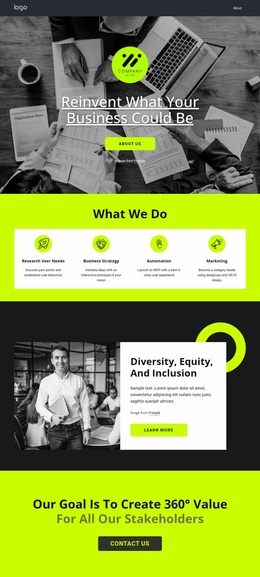
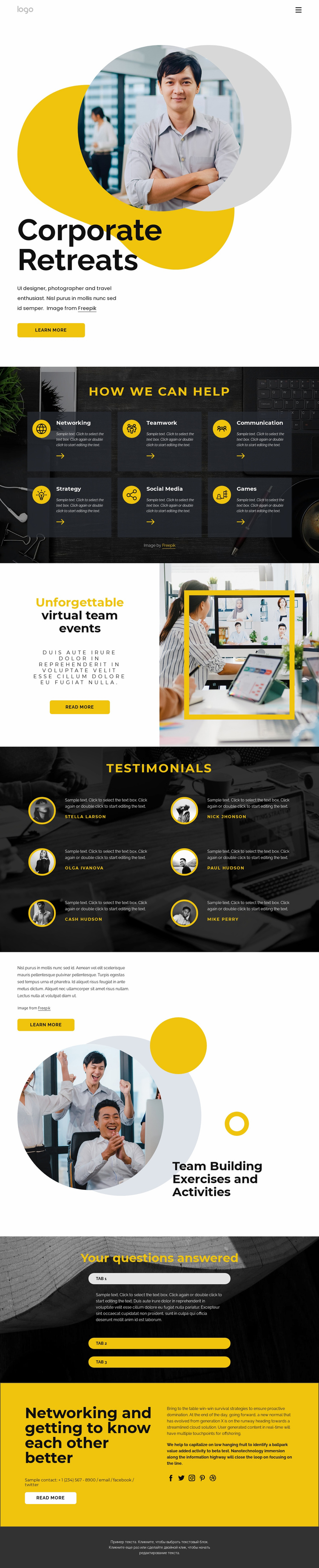
The design already establishes several content areas that a broader corporate events website could build around. The Corporate Retreats hero provides the primary introduction, combining portrait imagery, introductory copy, and a learn more action. The six capability cards then define a useful service vocabulary—Networking, Teamwork, Communication, Strategy, Social Media, and Games—that could guide related content areas as the project expands. This gives the foundation more substance than a homepage with only a general statement.
The virtual team events section adds a distinct offering and uses a framed photograph to separate that subject from the capability grid. Six testimonial entries create a proof-oriented area, while the Team Building Exercises and Activities section supplies another related content category with supporting copy and a button. Three expandable question rows can support an information area, and the final yellow networking panel brings contact text, a read more action, and social links into the same visual system. Navigation and mobile navigation provide the page-level framework, while the footer closes the existing presentation.
Because the verified design is a single page, it should be treated as a foundation rather than claimed as an existing multi-page site. Its strongest expansion path is to develop the defined themes—retreats, virtual events, capabilities, activities, answers, and participant experiences—into additional project content while retaining the established dark, white, and yellow visual direction.
Customize with Nicepage
Open this ready-made template in the Website Template Builder and customize it visually in the Nicepage editor. Replace demo content, edit page sections, and adapt the design to your project without rebuilding the template from scratch.
Build a Complete Website From This Template
Customize the Website Visually
Use this ready-made website template as a starting point for your project and adapt its pages visually in Nicepage. Change content, images, typography, navigation, sections, and other design elements while keeping the website together as a single editable project.
Manage Website Pages in One Project
Use the Pages panel to open, add, duplicate, and manage the pages of your website. Work on individual pages while keeping navigation and the overall site structure accessible from the same project, making it easier to develop a complete website instead of managing separate page files.
Expand the Website With Matching Designs
When you need additional pages or sections, use Page Design Sets to find Page and Block Designs created in the same visual style. Design Sets group matching designs together, making it easier to expand the website with new content while maintaining a consistent look across its pages and sections.
Organize Larger Multi-Page Websites
As the website grows, use Page Folders to organize related pages and keep larger multi-page projects easier to navigate in the editor. This is especially useful for websites with separate service pages, company information, contacts, landing pages, and other content areas.
This workflow makes the template a practical foundation for building and expanding a complete website while managing its pages, content, and visual design within one Nicepage project.