Modern Cars and Transportation Website Design


Dark Imagery and Light Type Give the XC60 Section Its Visual Voice
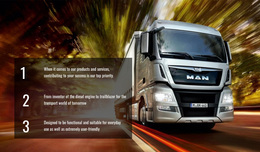
The block’s visual language comes from a small set of repeated relationships rather than from a large collection of decorative elements. A dark, atmospheric automotive image establishes the background field, the centered front-facing vehicle supplies the subject, and light-colored text creates contrast on top of that image. The large “XC60” heading carries the strongest typographic weight, while the smaller family-oriented tagline gives the composition a more explanatory second level. Generous vertical spacing keeps those levels distinct and prevents the image from feeling crowded.
Within a broader website design, these choices can act as a reference for how an automotive project handles contrast, image emphasis, and text hierarchy. Similar light typography, restrained spacing, or dark imagery could be echoed in related sections, but the block alone does not establish every global color, font, or component rule. Its contribution is more specific: it demonstrates an image-led introduction with a clear central axis and a controlled relationship between subject and message.
Nicepage’s Theme Settings can help coordinate broader colors, fonts, and typography when this section is combined with other blocks. The important design decision remains the block’s own balance of dark image, centered vehicle, white text, and open space.
Customize with Nicepage
Open this ready-made template in the Website Design Builder and customize it visually in the Nicepage editor. Replace demo content, edit page sections, and adapt the design to your project without rebuilding the template from scratch.
Edit Template Offline
2. Create a new page or select existing
3. Click Add new block, search for id 41889 and click enter
Edit Template Online
Create Awesome Websites


Free Nicepage Builder
Keywords
Connect This Block to a Consistent Website Design
Apply a Shared Visual Language
Use Theme Settings to coordinate Colors, Fonts, and Typography across the broader website. A block can express the same visual language through its backgrounds, text hierarchy, image treatment, buttons, cards, icons, and spacing without claiming that one section defines the entire site's identity.
Keep Repeated Treatments Consistent
When the block contains repeated items or distinctive accents, align those choices with the broader project. Shared typography, color roles, button styles, and image treatments can help a service, testimonial, pricing, or gallery block feel connected to other pages and sections.
Add Motion Only When It Supports the Section
Use Animation Effects when movement genuinely helps present the block's content. Effects can be applied to elements or Containers, but animation should remain secondary to the section's verified content and visual hierarchy.
This workflow lets one block contribute to a consistent website design while site-wide identity continues to be defined by the broader set of pages, sections, and shared style rules.