SMS marketing tools CSS Template



Coral Contrast Unifies the Portrait and Quote Treatments
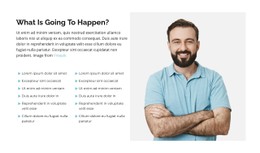
The bright coral-orange background establishes the block’s primary visual field, while white typography and accents keep the two testimonial items readable against it. Circular quotation-mark icons repeat within the stacked text area, giving both items a shared visual marker rather than treating them as unrelated paragraphs. The large portrait on the left provides a contrasting image shape and balances the denser text region on the right.
For a CSS Template interpretation, the important styling relationships are inside this section: the contrast between coral and white, the portrait’s scale, the spacing between the two quote items, and the circular treatment of the quotation marks. These properties can be refined without changing the block’s underlying testimonial structure. The vertical stack should retain enough separation for each quote to read as its own content unit, while the image and attribution remain visually associated on the opposite side. Nicepage’s styling controls can support adjustments to the block’s colors, typography, spacing, borders, and alignment; Custom CSS is a further option when a targeted visual rule is needed. The result remains one styled testimonial section rather than a site-wide design system.
Customize with Nicepage
Open this ready-made template in the CSS Template Builder and customize it visually in the Nicepage editor. Replace demo content, edit page sections, and adapt the design to your project without rebuilding the template from scratch.
Edit Template Offline
2. Create a new page or select existing
3. Click Add new block, search for id 4007200 and click enter
Edit Template Online
Create Awesome Websites


Free Nicepage Builder
Keywords
Customize This Template With CSS
Control Page-Specific Styling
Customize the visual appearance of this ready-made template directly in the Nicepage editor. Adjust typography, spacing, backgrounds, borders, colors, positioning, and other style properties using visual controls while keeping the page layout easy to manage without writing CSS manually.
Add Custom CSS When Needed
For styling requirements that go beyond the standard editor options, use Custom CSS to add targeted rules. CSS can be applied to individual elements, specific pages, or the entire website depending on the scope of the customization, while CSS classes can be used to connect custom rules with selected elements.
Export Minimal CSS Per Page
For projects where CSS size and page performance matter, Nicepage can export minimal CSS for each page. Instead of relying on one larger common stylesheet, each page can use a separate CSS file containing only the style rules required for that particular page. According to Nicepage documentation, these page-specific CSS files can be about ten times more compact, helping reduce unnecessary CSS and improve page loading performance.
This workflow combines visual styling with optional custom CSS and optimized page-specific CSS output, giving you additional control when a project requires it without making manual CSS editing the primary way to customize the template.