Use our contact form for all information requests Website Mockup


Review the Form, Image Overlap, and Information Row at Each Width
The block depends on a carefully balanced relationship between the white form panel and the large interior photograph. On a wide view, the panel can remain visually prominent while the image extends beside and behind it. The main review point is whether the name, email, and message fields remain comfortable to read and use when the available width decreases, without allowing the photograph to overpower the Submit action.
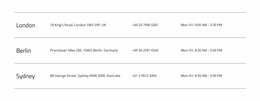
The lower strip introduces a separate responsive consideration. Call Us, Location, and Hours are arranged as three horizontal information items with circular icons. At narrower widths, their labels and descriptions may need more vertical room, and the row can become denser than the form above. The muted beige surface should continue to distinguish the strip from the light gray background while preserving clear spacing between each category.
The diagonal pattern and image crop also deserve attention during visual evaluation. If the photograph scales or moves beneath the form, the overlap should still look intentional rather than covering important content. A responsive website mockup review can therefore focus on field readability, panel-to-image balance, strip density, icon alignment, and the transition from the layered desktop composition to a narrower vertical arrangement. The section remains one contact unit throughout that review.
Customize with Nicepage
Open this ready-made template in the Website Mockup Builder and customize it visually in the Nicepage editor. Replace demo content, edit page sections, and adapt the design to your project without rebuilding the template from scratch.
Edit Template Offline
2. Create a new page or select existing
3. Click Add new block, search for id 2317029 and click enter
Edit Template Online
Create Awesome Websites


Free Nicepage Builder
Keywords
Review This Block as Part of a Responsive Website Mockup
Check the Section Across Devices
Use Responsive Modes to inspect how the block appears on Large Screens, Desktops, Laptops, Tablets, and Phones. Focus on the relationships that matter inside the section: column stacking, image scale, text wrapping, card density, spacing, form width, and alignment.
Adapt the Block for Narrower Screens
Nicepage provides responsive web design tools for adjusting individual device views. Refine sizes and positions, adapt Grids, Lists, and Galleries, and hide selected Elements or Blocks on particular screen sizes when the broader page requires it.
Preview the Section Without Editing Controls
Use Live Page / Preview to evaluate the design with editor controls removed. Review the block in the context of the surrounding page rather than treating one desktop screenshot as proof of all responsive states.
This workflow makes the block one responsive unit within a website mockup, with visual review focused on the section's own content relationships and how they adapt across screen widths.