Incredible wonders of nature Web Page Design


Centered Text Leads Into a Layered Image Composition
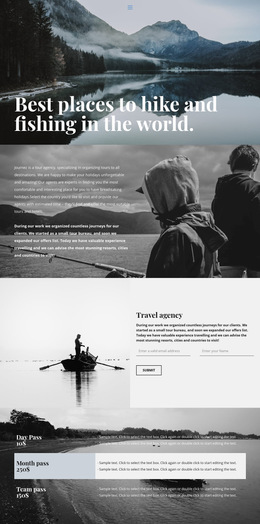
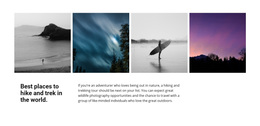
The page composition begins with a centered introductory region. The bold two-line heading states “Best places to hike and trek in the world.”, and the supporting paragraph sits within the same visual alignment, explaining the appeal of nature, wildlife photography, group travel, and outdoor adventure. Generous white space separates this information from the image treatment, allowing the heading to act as the first entry point.
Below that text, the wide teal band changes the section’s rhythm from compact reading to a broader horizontal gesture. One portrait-oriented nature photograph is centered over the band, then continues below its lower edge. This overlap creates a layered transition rather than a simple text-above-image stack. The image carries vertical weight, while the band gives it horizontal context and prevents the lower portion of the section from feeling visually isolated.
Within a single web page, the block can work as an introductory or transitional composition before more detailed destination material. Its value comes from how the centered text, horizontal band, and vertically extended photograph guide the eye through two connected regions. The section can therefore sit between neighboring content areas as a deliberate change in page rhythm, while its static structure remains understandable without navigation or interactive controls inside the block.
Customize with Nicepage
Open this ready-made template in the Web Page Design Builder and customize it visually in the Nicepage editor. Replace demo content, edit page sections, and adapt the design to your project without rebuilding the template from scratch.
Edit Template Offline
2. Create a new page or select existing
3. Click Add new block, search for id 927727 and click enter
Edit Template Online
Create Awesome Websites


Free Nicepage Builder
Keywords
Design a Web Page With This Block as One Section
Place the Block in the Page Composition
Use Block Designs to combine individual sections into a complete page. The analyzed block contributes one part of that composition, while other sections can handle the introduction, services, proof, portfolio, pricing, contact, or other page-level needs.
Refine the Elements Inside the Block
Use Web Page Elements such as Text, Image, Hyperlink, Grid, Gallery, and other elements to refine the section's content. Adjust the existing elements without assuming that one block must carry the entire page structure.
Balance the Section With Neighboring Content
After the block is placed, refine its spacing, image scale, text density, alignment, and background treatment so the transition into and out of the section feels intentional. Reorder Blocks at the page level when necessary while keeping the internal composition of each section coherent.
This workflow treats the block as one compositional unit in a web page: internally designed, visually distinct, and coordinated with the sections around it.