View our menu Web Page Design


The Centered Heading Leads Into a Balanced Four-Column Composition
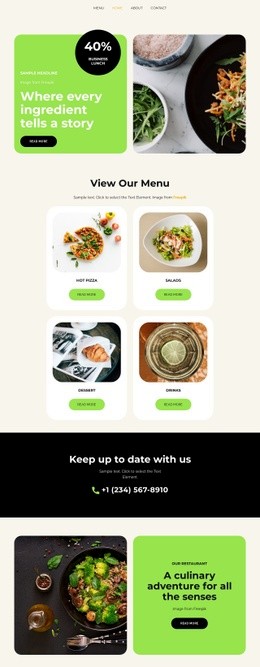
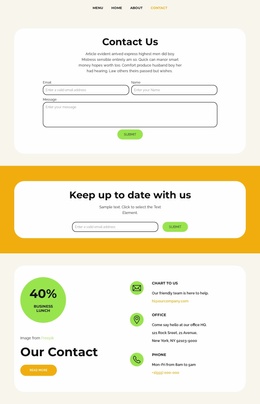
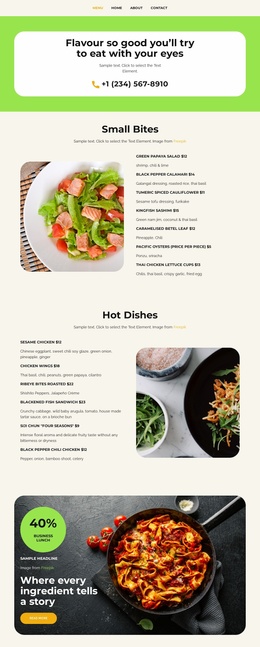
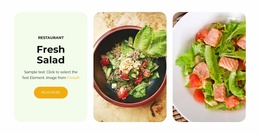
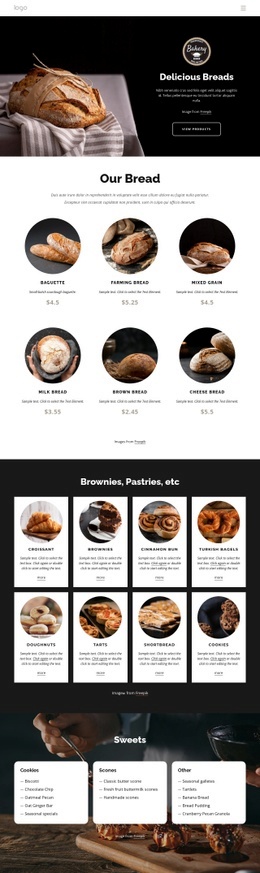
The composition begins with “View Our Menu” centered above the content, creating a clear visual entry before the eye moves across the four-card row. Hot Pizza, Salads, Dessert, and Drinks occupy parallel positions, and the repeated image-above-label-above-link arrangement keeps the information hierarchy consistent from left to right. Rounded-square images provide a visual anchor for each item, while the yellow-orange Read More buttons create a repeated lower emphasis across the row.
This spatial structure makes the block useful as a defined unit within one webpage. Its compact width and consistent card alignment can separate an introductory area from later menu details, promotional content, or contact information without requiring the section to carry those functions itself. The centered sample attribution line forms a quieter text layer below the cards, extending the vertical composition without disrupting the main scan path. The warm off-white background gives the section its own plane against surrounding page content. For web page design, the key value is the sequence and balance of the elements: a centered heading, a horizontal set of equal category choices, and a restrained supporting line beneath them.
Customize with Nicepage
Open this ready-made template in the Web Page Design Builder and customize it visually in the Nicepage editor. Replace demo content, edit page sections, and adapt the design to your project without rebuilding the template from scratch.
Edit Template Offline
2. Create a new page or select existing
3. Click Add new block, search for id 4310765 and click enter
Edit Template Online
Create Awesome Websites


Free Nicepage Builder
Keywords
Design a Web Page With This Block as One Section
Place the Block in the Page Composition
Use Block Designs to combine individual sections into a complete page. The analyzed block contributes one part of that composition, while other sections can handle the introduction, services, proof, portfolio, pricing, contact, or other page-level needs.
Refine the Elements Inside the Block
Use Web Page Elements such as Text, Image, Hyperlink, Grid, Gallery, and other elements to refine the section's content. Adjust the existing elements without assuming that one block must carry the entire page structure.
Balance the Section With Neighboring Content
After the block is placed, refine its spacing, image scale, text density, alignment, and background treatment so the transition into and out of the section feels intentional. Reorder Blocks at the page level when necessary while keeping the internal composition of each section coherent.
This workflow treats the block as one compositional unit in a web page: internally designed, visually distinct, and coordinated with the sections around it.