Digital & Social Media Support Web Page Design


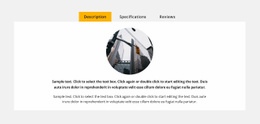
The Circular Portrait Anchors a Centered Contact Composition
The composition is organized around one vertical axis. “Contact Us” establishes the upper entry point, the circular portrait acts as a visual anchor beneath it, and the address, phone number, and email form a compact information group below. This arrangement avoids the competing focal points that can appear in a multi-column contact section. The centered alignment also gives the block a defined rhythm that can sit comfortably between other page sections.
The white background increases the space around the stack, making the portrait and typography feel deliberately separated rather than crowded. Black text establishes the main reading structure, while the bold yellow phone number creates a secondary focal point inside the lower information group. As a Web Page Design component, the block can work as a calm mid-page transition or a closing contact region, depending on the surrounding composition. Its role is spatial and informational: it concentrates contact content into one easily recognized unit while leaving other page sections to handle navigation, service explanation, imagery, or additional actions. The block's static behavior keeps the composition stable, so page designers can judge its spacing and relationship to neighboring content without accounting for changing panels or slides.
Customize with Nicepage
Open this ready-made template in the Web Page Design Builder and customize it visually in the Nicepage editor. Replace demo content, edit page sections, and adapt the design to your project without rebuilding the template from scratch.
Edit Template Offline
2. Create a new page or select existing
3. Click Add new block, search for id 2016015 and click enter
Edit Template Online
Create Awesome Websites


Free Nicepage Builder
Keywords
Design a Web Page With This Block as One Section
Place the Block in the Page Composition
Use Block Designs to combine individual sections into a complete page. The analyzed block contributes one part of that composition, while other sections can handle the introduction, services, proof, portfolio, pricing, contact, or other page-level needs.
Refine the Elements Inside the Block
Use Web Page Elements such as Text, Image, Hyperlink, Grid, Gallery, and other elements to refine the section's content. Adjust the existing elements without assuming that one block must carry the entire page structure.
Balance the Section With Neighboring Content
After the block is placed, refine its spacing, image scale, text density, alignment, and background treatment so the transition into and out of the section feels intentional. Reorder Blocks at the page level when necessary while keeping the internal composition of each section coherent.
This workflow treats the block as one compositional unit in a web page: internally designed, visually distinct, and coordinated with the sections around it.