Your trust, our responsibility One Page Template


Edit Template Offline
2. Create new page and search for id 6543910
Edit Template Online
Create Awesome Websites


Free Nicepage Builder
Keywords
From Collection Notice to Contact Us in One Continuous Sequence
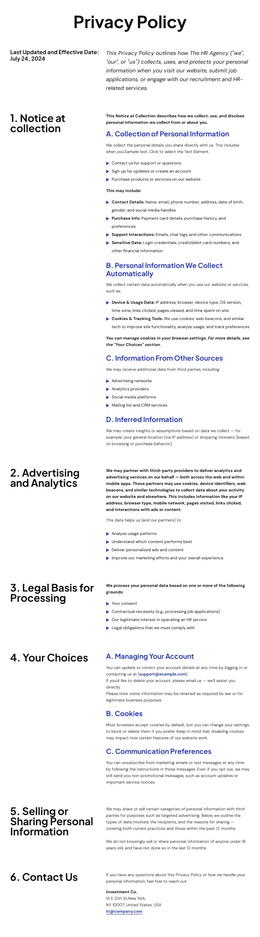
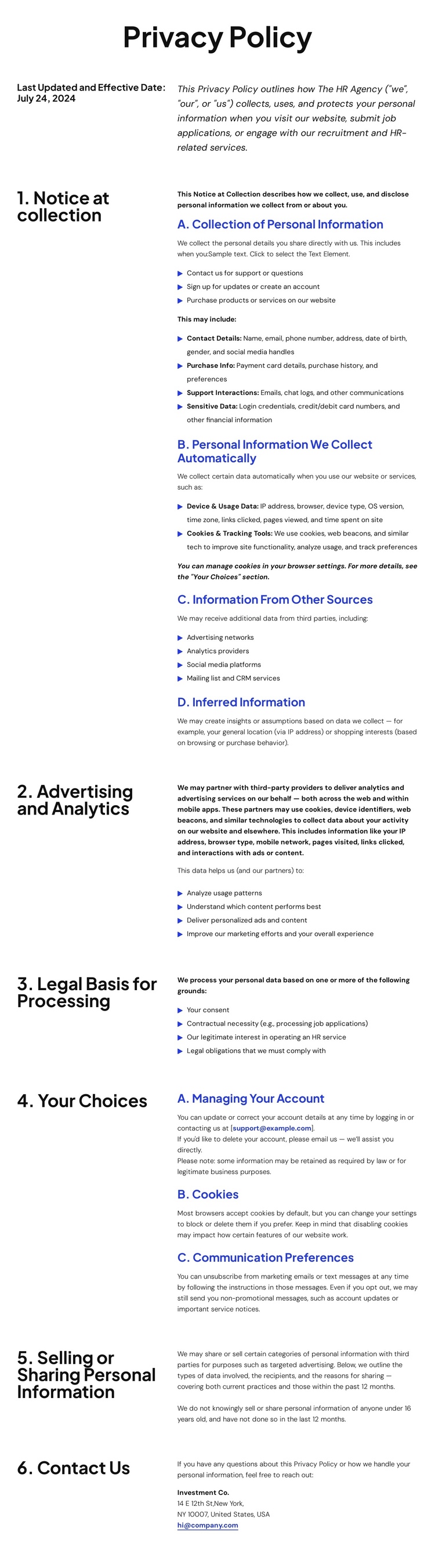
The document’s section order naturally supports a continuous one-page reading journey. Visitors first encounter the Privacy Policy introduction and date, then move through the scope of information collection before reaching advertising and analytics disclosures. Legal bases for processing follow as a separate explanation, while account, cookie, and communication choices give the middle of the page a practical user-control destination. The later sections address selling or sharing information and then gather the most extensive rights material, including request procedures, appeals, authorized agents, and California provisions.
The repeated two-column composition helps these destinations remain distinguishable during a long scroll. Blue bullet markers and subordinate headings create smaller landmarks inside the larger policy sections, while the final Contact Us block provides a clear endpoint for privacy inquiries. The compact header, navigation, pages menu, and search control also frame the document as part of a wider site without breaking the policy into separate visible content areas. In this arrangement, the value of a one-page template is not a conversion funnel; it is the ability to keep related disclosures available in a single ordered document. The dark multi-column footer then closes the sequence with help links, social links, address, email, and telephone channels. Placeholder and conflicting contact information should be verified before publication.
Customize with Nicepage
Open this ready-made template in the One Page Template Builder and customize it visually in the Nicepage editor. Replace demo content, edit page sections, and adapt the design to your project without rebuilding the template from scratch.
Build a Navigable One-Page Website
Connect the Menu to Page Sections
Organize the website as a sequence of sections on a single page and use the Menu For One-Page Site to connect menu items with individual page Blocks. Visitors can jump directly to sections such as About, Services, Testimonials, or Contact without opening separate pages.
Keep the Website on One URL
A one-page template can combine several parts of a small website within one continuous page. Arrange the Header, introduction, services, portfolio, company information, reviews, contact details, and other relevant sections in the order that fits the project while keeping them accessible through the same page navigation.
Make Long Pages Easier to Navigate
For longer one-page websites, keep navigation labels short and connected to meaningful sections so visitors can move through the page without relying only on scrolling. You can also use the Back To Top element to provide a quick way back to the beginning after longer sections.
This workflow makes the template suitable for compact websites that need several distinct content sections while keeping the complete visitor experience on one URL.