Space One Page Template


Edit Template Offline
2. Create new page and search for id 23167
Edit Template Online
Create Awesome Websites


Free Nicepage Builder
Keywords
From Space Introduction to Contact, Each Section Has a Destination
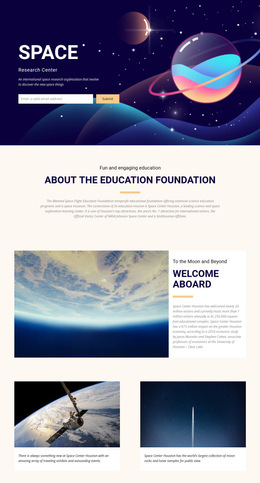
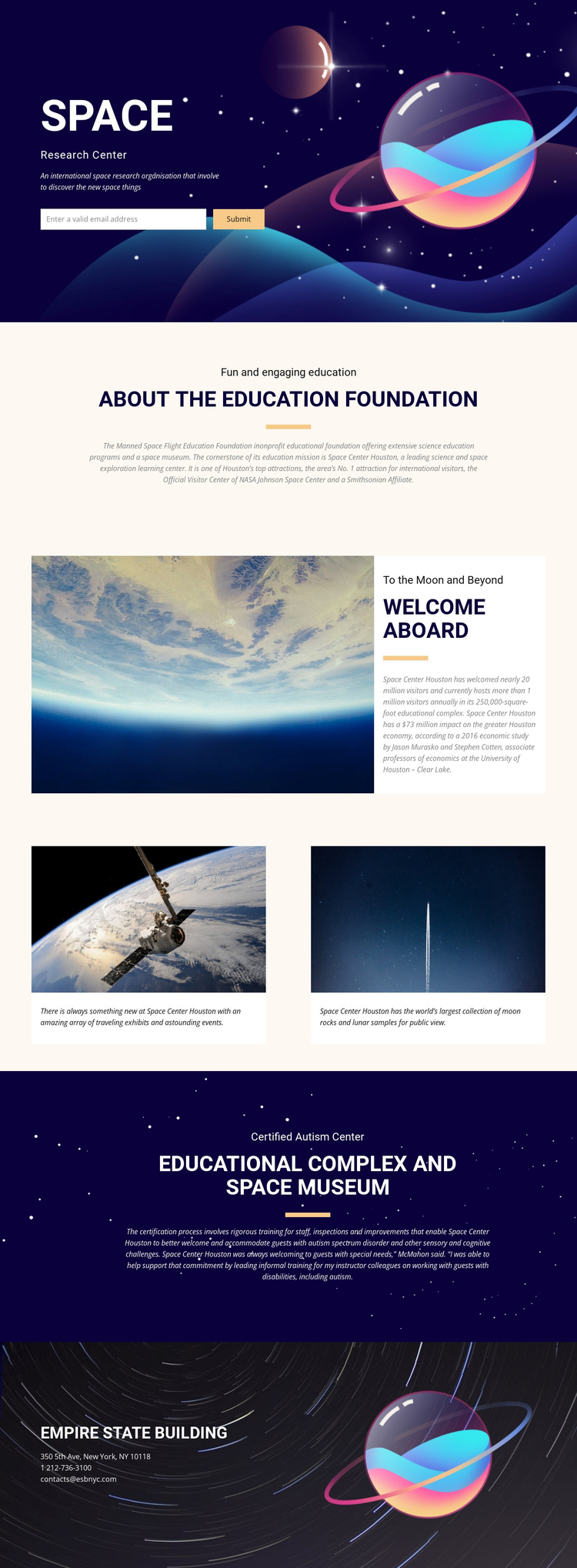
The page contains several substantial information zones that can be explored in sequence without breaking the subject into separate documents. The opening hero acts as the first destination, combining the SPACE title, research-center label, introductory description, and email sign-up. The centered education foundation section follows with a quieter reading experience, making the learning mission distinct from the atmospheric introduction.
The welcome block creates another meaningful stop by placing a large space photograph beside a visitor-oriented text panel. From there, the two equal feature cards divide the visitor experience into separate destinations: traveling exhibits and educational events are presented independently from moon rocks and lunar samples. This makes the long page easier to scan because each card has a clear informational role rather than adding another undifferentiated text section.
The dark educational-complex and space-museum block provides a later destination for accessibility and institutional context through the Certified Autism Center reference. The contact section completes the journey with organization details, address, telephone, and email content beside a decorative planet image. A one-page navigation scheme could therefore mirror the actual content sequence—introduction, foundation, welcome, experiences, museum, and contact—without claiming that anchor links already exist. The design’s value as a one-page structure comes from its distinct sections and their readable order.
Customize with Nicepage
Open this ready-made template in the One Page Template Builder and customize it visually in the Nicepage editor. Replace demo content, edit page sections, and adapt the design to your project without rebuilding the template from scratch.
Build a Navigable One-Page Website
Connect the Menu to Page Sections
Organize the website as a sequence of sections on a single page and use the Menu For One-Page Site to connect menu items with individual page Blocks. Visitors can jump directly to sections such as About, Services, Testimonials, or Contact without opening separate pages.
Keep the Website on One URL
A one-page template can combine several parts of a small website within one continuous page. Arrange the Header, introduction, services, portfolio, company information, reviews, contact details, and other relevant sections in the order that fits the project while keeping them accessible through the same page navigation.
Make Long Pages Easier to Navigate
For longer one-page websites, keep navigation labels short and connected to meaningful sections so visitors can move through the page without relying only on scrolling. You can also use the Back To Top element to provide a quick way back to the beginning after longer sections.
This workflow makes the template suitable for compact websites that need several distinct content sections while keeping the complete visitor experience on one URL.