About virtual reality One Page Template


Edit Template Offline
2. Create new page and search for id 685660
Edit Template Online
Create Awesome Websites


Free Nicepage Builder
Keywords
The VR Story Moves Through Nine Connected Information Destinations
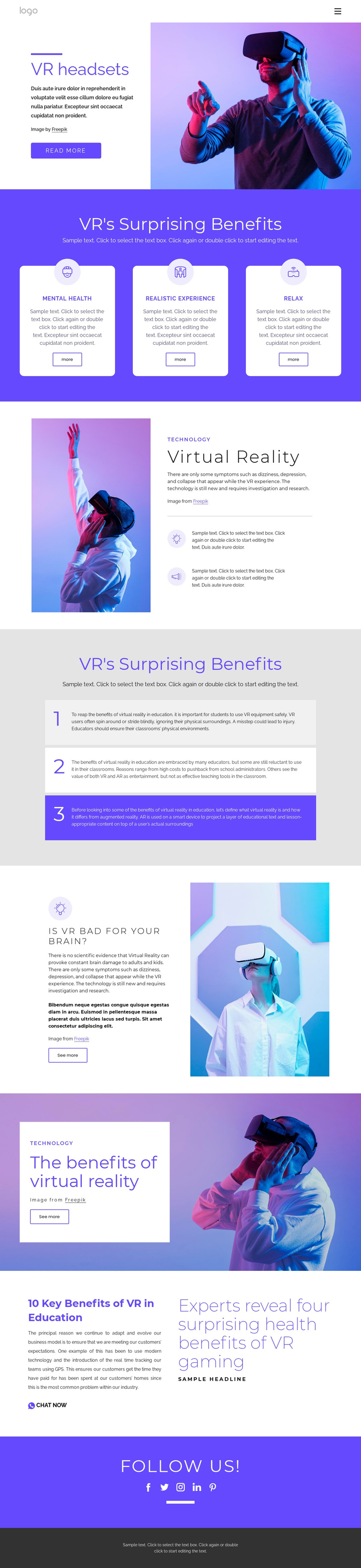
The page’s section order supports a continuous content journey rather than a collection of unrelated fragments. Visitors begin with the VR headsets introduction, where text and a large photograph establish the subject. The next destination groups Mental Health, Realistic Experience, and Relax into three cards, followed by a Virtual Reality explanation with two supporting points. Each stage adds a different layer of information while remaining part of the same long document.
The education section creates another meaningful stop through three numbered panels with alternating light and purple backgrounds. From there, the safety question provides a separate destination for concerns about VR and the brain, while the text-on-image benefits section changes the visual rhythm without breaking the sequence. The later editorial block combines education-related copy, a Chat Now link, and a prominent VR gaming headline, giving the lower part of the page its own content focus.
The five social icons and dark footer close the sequence after the substantive information has been presented. This arrangement can be navigated as a series of recognizable sections—introduction, benefits, technology, education, safety, editorial content, and social connection—without claiming that anchor navigation is already configured. Its one-page strength comes from keeping several related topics available within one ordered experience and using consistent purple accents to signal the relationships between destinations.
Customize with Nicepage
Open this ready-made template in the One Page Template Builder and customize it visually in the Nicepage editor. Replace demo content, edit page sections, and adapt the design to your project without rebuilding the template from scratch.
Build a Navigable One-Page Website
Connect the Menu to Page Sections
Organize the website as a sequence of sections on a single page and use the Menu For One-Page Site to connect menu items with individual page Blocks. Visitors can jump directly to sections such as About, Services, Testimonials, or Contact without opening separate pages.
Keep the Website on One URL
A one-page template can combine several parts of a small website within one continuous page. Arrange the Header, introduction, services, portfolio, company information, reviews, contact details, and other relevant sections in the order that fits the project while keeping them accessible through the same page navigation.
Make Long Pages Easier to Navigate
For longer one-page websites, keep navigation labels short and connected to meaningful sections so visitors can move through the page without relying only on scrolling. You can also use the Back To Top element to provide a quick way back to the beginning after longer sections.
This workflow makes the template suitable for compact websites that need several distinct content sections while keeping the complete visitor experience on one URL.