Beats Wireless One Page Template


Edit Template Offline
2. Create new page and search for id 24285
Edit Template Online
Create Awesome Websites


Free Nicepage Builder
Keywords
The Review Moves Through Seven Continuous Content Destinations
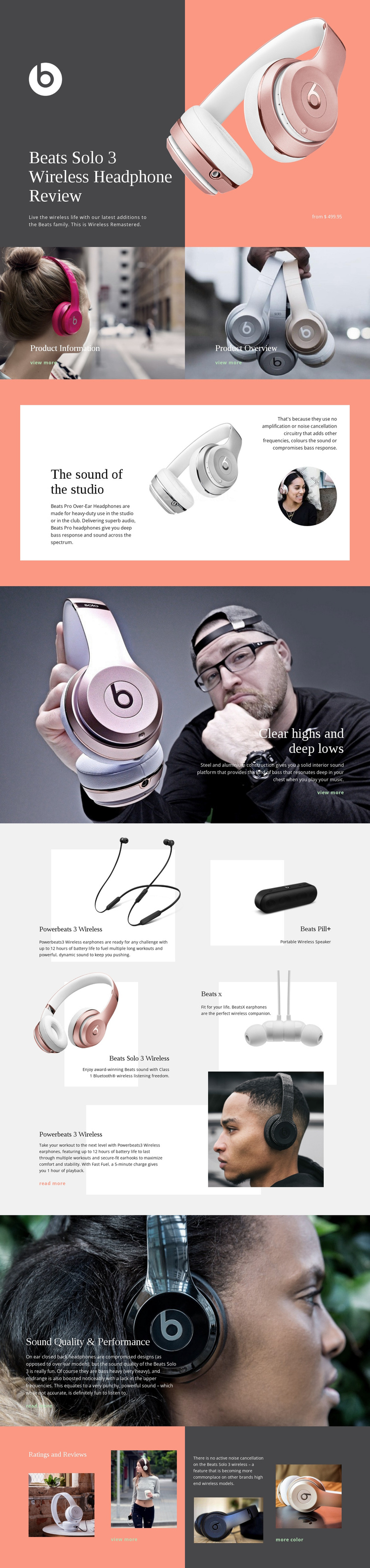
The page’s section order supports a continuous review journey without requiring the visitor to leave the document for each major subject. The opening hero identifies Beats Solo 3 Wireless headphones through product imagery and a dark review panel. The next two image-led tiles create distinct destinations for Product Information and Product Overview, allowing the page to separate orientation from the deeper review that follows.
The central sequence develops several related subjects in a deliberate order. The split “The sound of the studio” section introduces the listening experience with text, a product image, and a circular portrait. “Clear highs and deep lows” then shifts to construction and bass commentary over a large photograph. The five-card related-product Grid Repeater creates another substantial destination, bringing Powerbeats 3 Wireless, Beats Pill+, Beats Solo 3 Wireless, and Beats X into the same continuous document through repeated product content.
Near the end, Sound Quality & Performance returns the reader to review commentary before Ratings and Reviews combines a rating graphic, photographs, noise-cancellation discussion, and links. These transitions give the page meaningful content stops: featured product, product orientation, studio sound, construction, related products, performance, and evaluation. The one-page interpretation therefore depends on section sequence and navigable content relationships, not merely on the fact that all material happens to appear on one URL.
Customize with Nicepage
Open this ready-made template in the One Page Template Builder and customize it visually in the Nicepage editor. Replace demo content, edit page sections, and adapt the design to your project without rebuilding the template from scratch.
Build a Navigable One-Page Website
Connect the Menu to Page Sections
Organize the website as a sequence of sections on a single page and use the Menu For One-Page Site to connect menu items with individual page Blocks. Visitors can jump directly to sections such as About, Services, Testimonials, or Contact without opening separate pages.
Keep the Website on One URL
A one-page template can combine several parts of a small website within one continuous page. Arrange the Header, introduction, services, portfolio, company information, reviews, contact details, and other relevant sections in the order that fits the project while keeping them accessible through the same page navigation.
Make Long Pages Easier to Navigate
For longer one-page websites, keep navigation labels short and connected to meaningful sections so visitors can move through the page without relying only on scrolling. You can also use the Back To Top element to provide a quick way back to the beginning after longer sections.
This workflow makes the template suitable for compact websites that need several distinct content sections while keeping the complete visitor experience on one URL.