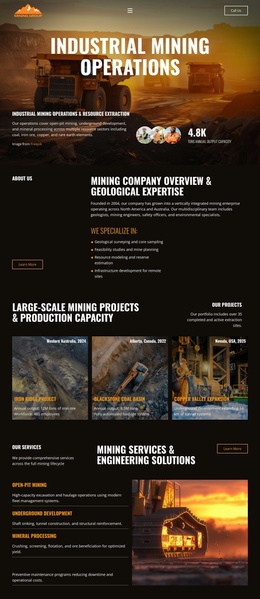
Industrial Mining Company Landing Page


Edit Template Offline
2. Create new page and search for id 6624416
Edit Template Online
Create Awesome Websites


Free Nicepage Builder
Keywords
From Global Expertise to a Direct Project Consultation
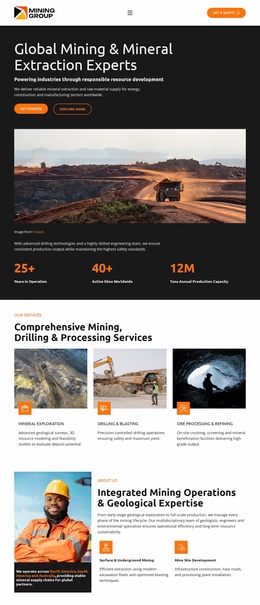
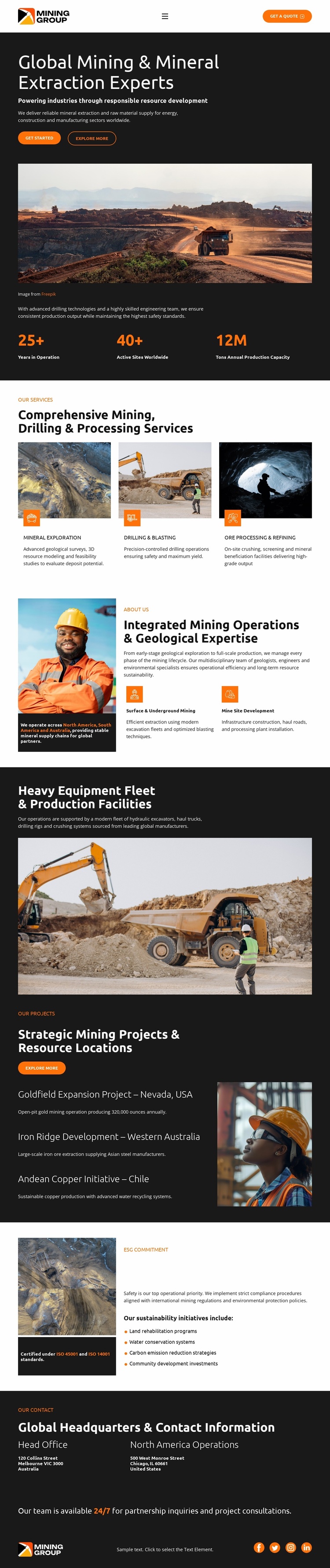
The hero gives the page its clearest response path. “Global Mining & Mineral Extraction Experts” appears over a large open-pit image, while “Get a Quote” supplies a direct inquiry action and “Explore More” offers a secondary route into the supporting content. Keeping those actions subordinate to the same mining proposition allows the first screen to establish both the subject and the expected next step without relying on generic corporate messaging.
The sections that follow can support that response by answering practical questions before a prospect reaches the close. The three service cards show coverage across mineral exploration, drilling and blasting, and ore processing and refining. The operations section adds mining and geological expertise, while the equipment block presents fleet and production facilities as evidence of operational scope. The project list then gives the visitor concrete geographic context through locations in Nevada, Western Australia, and Chile.
The ESG commitment section contributes reassurance through operational safety, water conservation, carbon emission reduction, and community development topics. Metrics such as 25+ years in operation, 40+ active sites worldwide, and 12M tons of annual production capacity are structural proof points in the design and should be replaced or verified for a real company deployment. The final office columns and partnership statement provide a natural consultation endpoint, allowing the page to move from offer, through evidence, toward a quote-oriented conversation.
Customize with Nicepage
Open this ready-made template in the Landing Page Builder and customize it visually in the Nicepage editor. Replace demo content, edit page sections, and adapt the design to your project without rebuilding the template from scratch.
Build a Landing Page Around One Conversion Goal
Focus on One Primary Action
Use the landing page to guide visitors toward one measurable response, such as requesting a quote, registering, subscribing, booking a consultation, applying for a service, or submitting an inquiry. Keep the primary call-to-action consistent across the important sections so the headline, supporting content, form, and CTA buttons work toward the same campaign goal instead of competing for attention.
Capture Leads With a Form
Use the Contact Form Element to add a contact, subscription, application, or other conversion form directly to the landing page. Customize the form fields, layout, labels, inputs, and button to collect the information required for your campaign while keeping the form focused on the action you want visitors to complete.
Nicepage also provides several form submission options. Form submissions can be sent to Email, stored as Leads, added to Google Sheets, passed to a custom URL or server endpoint, or used to populate a MailChimp mailing list. This provides practical options for collecting inquiries, registrations, subscriptions, applications, and other campaign responses.
Manage Leads and Campaign Responses
When submissions are stored as Leads, you can use Contact Form Leads to review the information collected through the landing page and use it for follow-up. Keep the form connected to the same offer and primary CTA presented throughout the page so visitors move from the campaign message to a clear conversion action.
This workflow makes the template suitable for landing pages where the offer, content, call-to-action, form, and lead collection process work together toward one defined conversion goal.

More from Industrial Landing Pages
-
Free Website Builder SoftwareDownload