Refuel at power gym Joomla Template


Edit Template Offline
2. Create new page and search for id 93543
Edit Template Online
Create Awesome Websites


Free Nicepage Builder
Keywords
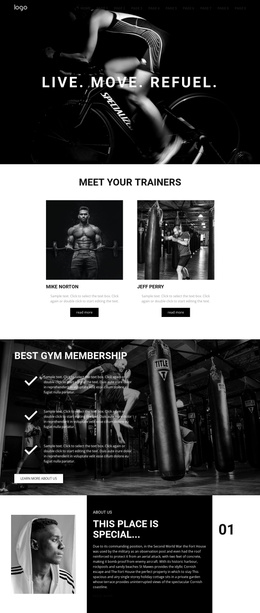
Trainer profiles and structured gym content around the reservation section
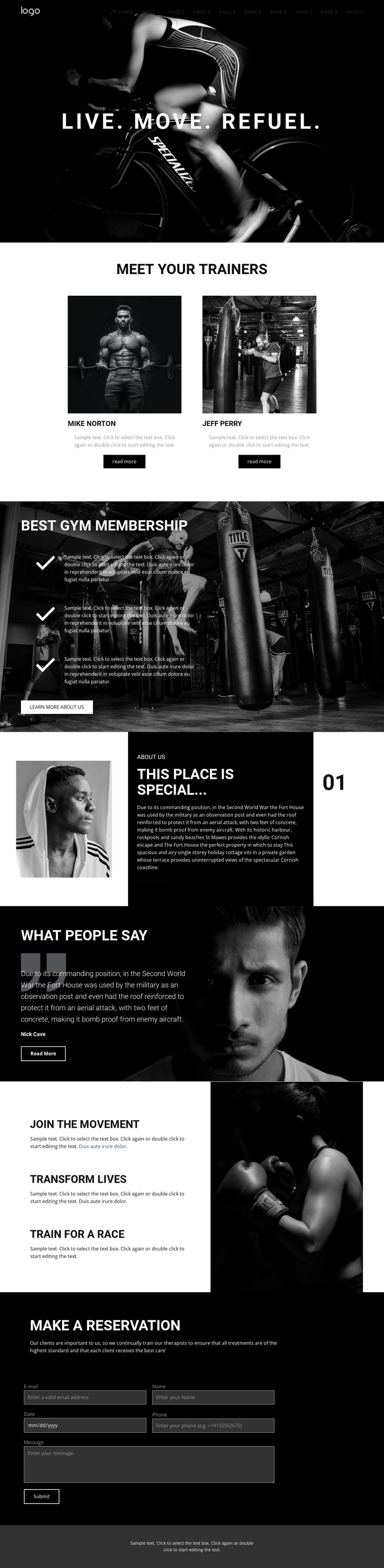
The two trainer cards create a natural people-focused content area beneath the opening hero. Each card combines an image, a name, a short description, and a read-more link, giving a Joomla-managed gym site a repeatable profile region without presenting the demo names as verified staff. The membership section uses a different structure: three short feature items are layered over a gym photograph and paired with a “Learn more about us” action. These contrasting regions separate recurring profile information from core service messaging.
The split “This place is special...” section adds another structured content area through its portrait, dark text panel, and numbered marker. It can hold background or about information while remaining visually distinct from the testimonial that follows. The testimonial section uses a quote, attribution, read-more action, and portrait image as a focused proof area. After that, “Join the Movement” presents three training-related highlights, including “Transform lives” and “Train for a Race,” beside a large fitness photograph.
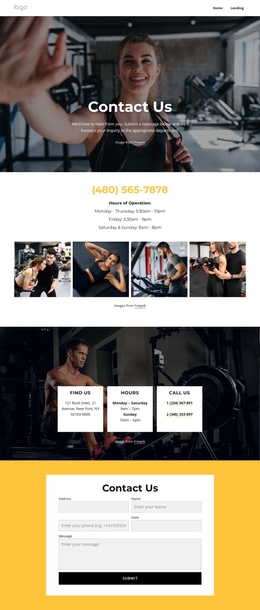
The closing reservation area is the clearest contact region in the design. Its explanatory copy and inquiry form give the page a defined place for membership or reservation questions. In a Joomla project, these distinct service, profile, about, proof, and contact regions provide an organized content structure while the dark visual system keeps shared navigation and page sections coordinated.
Customize with Nicepage
Open this ready-made template in the Joomla Page Builder and customize it visually in the Nicepage editor. Replace demo content, edit page sections, and adapt the design to your project without rebuilding the template from scratch.
Work With This Template in Joomla
Customize and Install the Joomla Template
Start with this ready-made template instead of building the Joomla design from scratch. Customize its layout, content, typography, images, sections, and other design elements visually in the Nicepage application, then export and install the Joomla Template, Nicepage Extension, and supported content on your Joomla website.
Edit the Template Directly in Joomla
After installation, you can edit the Joomla Template directly in Joomla with the Nicepage Joomla Extension. Customize the Header, Footer, Colors, Fonts, typography, and Page Templates from the Joomla workflow while keeping the site design connected with your CMS content.
Edit Joomla Articles Visually
Use the Nicepage Joomla Extension to open and edit Joomla Articles visually from the Joomla Administrator. Change text, images, sections, layouts, and other page content in the Nicepage editor while continuing to manage the Articles through Joomla.
Joomla Content and Template Integration
Use the customized template together with Joomla Articles, module Positions, menus, forms, Blog Pages, and other supported CMS elements. With the Nicepage Extension used as the Site Style Source, shared design settings can be applied across Joomla Articles while Joomla continues to provide the CMS environment for managing site content.
This workflow combines a ready-made Joomla Template with visual customization, direct template editing in Joomla, and continued content management through the Nicepage Joomla Extension.