Our diverse team Joomla Template



Four Profile Groups Create a Structured Team Region
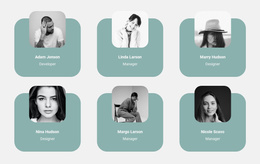
The four profile units provide a clear informational structure for a Joomla-managed page. Each unit combines one portrait, one name, and one role label, so visitors can understand the person and their position without moving through a long continuous text area. Linda Larson and Nina Stars are labeled manager, Paul Perry is labeled developer, and Josh Scavo is labeled designer. These labels give the repeated content a practical organizational pattern while keeping the section focused on people rather than services or general company information.
The two-by-two arrangement reinforces that structure. Portraits use the same square monochrome treatment and sit around a horizontal pink band, while the black background creates strong separation between the image treatment and the text. Pink names act as the primary text accent, and the lighter role labels establish a quieter secondary level. As a Joomla template interpretation, this block can serve as a reusable team-information region within a page or article-oriented site. The surrounding Joomla project can provide navigation and other content areas, while this section maintains a stable visual presentation for team members. Its static profile-card structure is also easy to place alongside related sections such as company information, services, or contact content.
Customize with Nicepage
Open this ready-made template in the Joomla Page Builder and customize it visually in the Nicepage editor. Replace demo content, edit page sections, and adapt the design to your project without rebuilding the template from scratch.
Edit Template Offline
2. Create a new page or select existing
3. Click Add new block, search for id 92937 and click enter
Edit Template Online
Create Awesome Websites


Free Nicepage Builder
Keywords
Work With This Template in Joomla
Customize and Install the Joomla Template
Start with this ready-made template instead of building the Joomla design from scratch. Customize its layout, content, typography, images, sections, and other design elements visually in the Nicepage application, then export and install the Joomla Template, Nicepage Extension, and supported content on your Joomla website.
Edit the Template Directly in Joomla
After installation, you can edit the Joomla Template directly in Joomla with the Nicepage Joomla Extension. Customize the Header, Footer, Colors, Fonts, typography, and Page Templates from the Joomla workflow while keeping the site design connected with your CMS content.
Edit Joomla Articles Visually
Use the Nicepage Joomla Extension to open and edit Joomla Articles visually from the Joomla Administrator. Change text, images, sections, layouts, and other page content in the Nicepage editor while continuing to manage the Articles through Joomla.
Joomla Content and Template Integration
Use the customized template together with Joomla Articles, module Positions, menus, forms, Blog Pages, and other supported CMS elements. With the Nicepage Extension used as the Site Style Source, shared design settings can be applied across Joomla Articles while Joomla continues to provide the CMS environment for managing site content.
This workflow combines a ready-made Joomla Template with visual customization, direct template editing in Joomla, and continued content management through the Nicepage Joomla Extension.