Weekly Learning Timetable Joomla Template



Edit Template Offline
2. Create new page and search for id 6679758
Edit Template Online
Create Awesome Websites


Free Nicepage Builder
Keywords
Course Regions and Navigation Form a Structured CMS Content Map
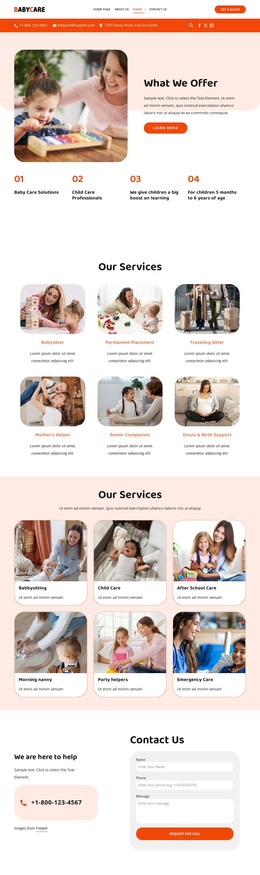
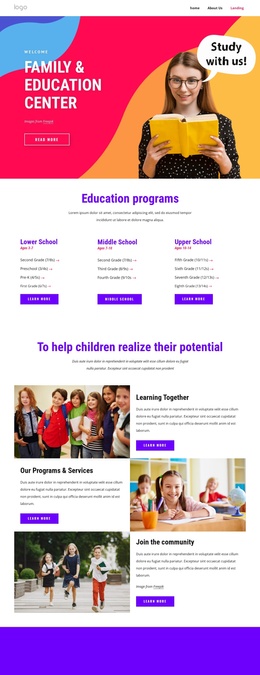
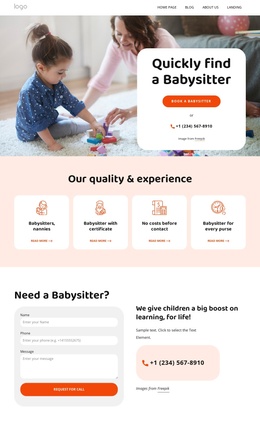
The page divides its education content into recurring regions that can be understood as managed site information. The opening navigation and hero establish the academy context, while the View Timetable and Explore Courses actions point toward two different content destinations: scheduled sessions and course selection. That distinction gives the design more structure than a single promotional statement.
The timetable organizes Monday through Friday choices around a selected UI Design Fundamentals class, duration, and Join Class action. In a Joomla project, this kind of schedule area can represent structured learning information without changing the surrounding visual language. The six course cards provide another repeatable region, covering UI & Web Design, Digital Marketing, Brand Strategy, Figma for Designers, Business Fundamentals, and Content Creation. Their consistent layout helps related course entries remain visually coordinated as content changes.
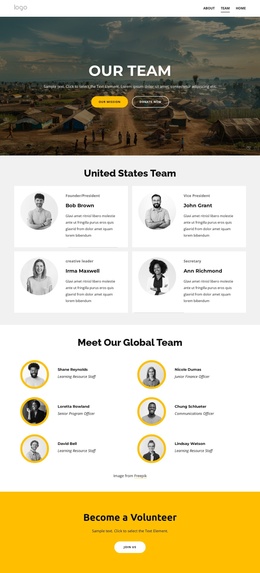
The three instructor profiles and three learner testimonials add additional repeated information groups, while the four-step learning process explains how the page’s offer is used. The footer gathers course navigation, academy contact details, and opening hours into a shared closing region. Together, these areas create a practical content hierarchy for a Joomla-managed education site: navigation introduces the sections, schedule and courses carry the main information, profiles and testimonials add context, and the footer preserves access to contact and course details.
Customize with Nicepage
Open this ready-made template in the Joomla Page Builder and customize it visually in the Nicepage editor. Replace demo content, edit page sections, and adapt the design to your project without rebuilding the template from scratch.
Work With This Template in Joomla
Customize and Install the Joomla Template
Start with this ready-made template instead of building the Joomla design from scratch. Customize its layout, content, typography, images, sections, and other design elements visually in the Nicepage application, then export and install the Joomla Template, Nicepage Extension, and supported content on your Joomla website.
Edit the Template Directly in Joomla
After installation, you can edit the Joomla Template directly in Joomla with the Nicepage Joomla Extension. Customize the Header, Footer, Colors, Fonts, typography, and Page Templates from the Joomla workflow while keeping the site design connected with your CMS content.
Edit Joomla Articles Visually
Use the Nicepage Joomla Extension to open and edit Joomla Articles visually from the Joomla Administrator. Change text, images, sections, layouts, and other page content in the Nicepage editor while continuing to manage the Articles through Joomla.
Joomla Content and Template Integration
Use the customized template together with Joomla Articles, module Positions, menus, forms, Blog Pages, and other supported CMS elements. With the Nicepage Extension used as the Site Style Source, shared design settings can be applied across Joomla Articles while Joomla continues to provide the CMS environment for managing site content.
This workflow combines a ready-made Joomla Template with visual customization, direct template editing in Joomla, and continued content management through the Nicepage Joomla Extension.