Improve your photography skills Joomla Template


The Portrait and Course Copy Form a Structured Content Region
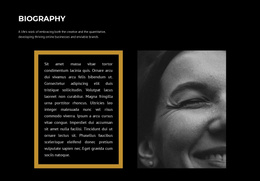
The upper image-and-card arrangement gives the section a recognizable content boundary: a portrait photograph establishes the photography subject, while the white overlapping card carries the eyebrow and the main heading, “Your Road to Better Photography.” Below it, the single text column shifts from visual introduction to explanation. Its copy describes free online photography courses and identifies image composition, camera settings, lighting, and photo editing techniques as part of the learning subject. The “Learn more” button then provides a clear action attached to that description.
In a Joomla-managed page, this arrangement can function as a stable informational region for photography education content. The heading and paragraph provide structured subject information, while the portrait supplies visual context without replacing the written explanation. The section can sit alongside other managed content areas that present course details, articles, or contact information, preserving its own internal relationship between introduction, explanation, and action. The light gray field, pink geometric accent, and generous vertical spacing help separate this region from adjacent page content, while the serif title gives the main topic visual priority. Joomla can provide the surrounding editorial environment; this block remains the reusable presentation for one focused photography-learning message.
Customize with Nicepage
Open this ready-made template in the Joomla Page Builder and customize it visually in the Nicepage editor. Replace demo content, edit page sections, and adapt the design to your project without rebuilding the template from scratch.
Edit Template Offline
2. Create a new page or select existing
3. Click Add new block, search for id 66271 and click enter
Edit Template Online
Create Awesome Websites


Free Nicepage Builder
Keywords
Work With This Template in Joomla
Customize and Install the Joomla Template
Start with this ready-made template instead of building the Joomla design from scratch. Customize its layout, content, typography, images, sections, and other design elements visually in the Nicepage application, then export and install the Joomla Template, Nicepage Extension, and supported content on your Joomla website.
Edit the Template Directly in Joomla
After installation, you can edit the Joomla Template directly in Joomla with the Nicepage Joomla Extension. Customize the Header, Footer, Colors, Fonts, typography, and Page Templates from the Joomla workflow while keeping the site design connected with your CMS content.
Edit Joomla Articles Visually
Use the Nicepage Joomla Extension to open and edit Joomla Articles visually from the Joomla Administrator. Change text, images, sections, layouts, and other page content in the Nicepage editor while continuing to manage the Articles through Joomla.
Joomla Content and Template Integration
Use the customized template together with Joomla Articles, module Positions, menus, forms, Blog Pages, and other supported CMS elements. With the Nicepage Extension used as the Site Style Source, shared design settings can be applied across Joomla Articles while Joomla continues to provide the CMS environment for managing site content.
This workflow combines a ready-made Joomla Template with visual customization, direct template editing in Joomla, and continued content management through the Nicepage Joomla Extension.