Transforming Trends into Art Joomla Template


Photography Services Form One Clear Joomla Content Region
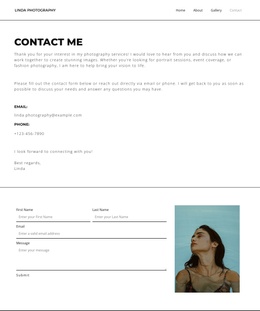
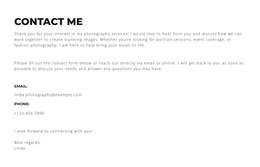
The heading “contact me” establishes a direct entry point, while the introductory copy explains the photography services before the reader reaches the contact details. References to portrait sessions, event coverage, and fashion photography give the section a structured informational purpose rather than presenting an isolated email address or phone number. The additional inquiry instruction continues that progression, helping the contact area explain what kind of request belongs here.
Everything remains within one left-aligned, single-column flow. The email label and displayed address occupy one contact point, the phone label and displayed number provide a second, and the closing “Best regards” with “Linda” gives the section a personal finish. Wide vertical spacing separates these text groups without introducing interactive controls; the block is static and text-led.
Within a Joomla-managed page, this arrangement can serve as a stable contact-information region for photography services. Its clear heading, service references, inquiry guidance, and direct contact fields can remain a recognizable content unit while the surrounding Joomla project handles broader page organization and related editorial content. The white background, black text, bold uppercase heading, and thin framing borders also make the section easy to coordinate with neighboring content without changing its contact purpose.
Customize with Nicepage
Open this ready-made template in the Joomla Page Builder and customize it visually in the Nicepage editor. Replace demo content, edit page sections, and adapt the design to your project without rebuilding the template from scratch.
Edit Template Offline
2. Create a new page or select existing
3. Click Add new block, search for id 6294356 and click enter
Edit Template Online
Create Awesome Websites


Free Nicepage Builder
Keywords
Work With This Template in Joomla
Customize and Install the Joomla Template
Start with this ready-made template instead of building the Joomla design from scratch. Customize its layout, content, typography, images, sections, and other design elements visually in the Nicepage application, then export and install the Joomla Template, Nicepage Extension, and supported content on your Joomla website.
Edit the Template Directly in Joomla
After installation, you can edit the Joomla Template directly in Joomla with the Nicepage Joomla Extension. Customize the Header, Footer, Colors, Fonts, typography, and Page Templates from the Joomla workflow while keeping the site design connected with your CMS content.
Edit Joomla Articles Visually
Use the Nicepage Joomla Extension to open and edit Joomla Articles visually from the Joomla Administrator. Change text, images, sections, layouts, and other page content in the Nicepage editor while continuing to manage the Articles through Joomla.
Joomla Content and Template Integration
Use the customized template together with Joomla Articles, module Positions, menus, forms, Blog Pages, and other supported CMS elements. With the Nicepage Extension used as the Site Style Source, shared design settings can be applied across Joomla Articles while Joomla continues to provide the CMS environment for managing site content.
This workflow combines a ready-made Joomla Template with visual customization, direct template editing in Joomla, and continued content management through the Nicepage Joomla Extension.