Qualified help from a psychologist Joomla Template


Edit Template Offline
2. Create new page and search for id 6225101
Edit Template Online
Create Awesome Websites


Free Nicepage Builder
Keywords
Mission sections and contact regions create clear Joomla content areas
The opening therapy image and centered statement establish the organization’s subject before the page moves into more structured information. The specialist profile pairs psychology-focused copy with two labeled items, Our Mission and Our Vision. That division gives the design distinct informational regions rather than one undifferentiated article. The later therapy section adds the anti-oppressive and trauma-informed music therapy focus, while its references to therapy, psychiatry, psychology, self-esteem, and forgiveness provide additional subject groupings.
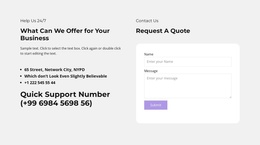
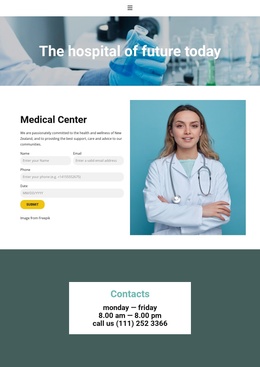
The appointment strip and contact block create a second content relationship. “Open for Appointments” and the phone contact act as a prominent service notice, while the lower Contact Us area combines the 24/7 support heading, contact information, and an inquiry form. In a Joomla-managed project, these areas can be treated as coordinated site content around shared navigation and presentation, without confusing the sample names, addresses, or phone numbers with verified organizational details.
The visual system helps those regions remain recognizable as one site: warm human imagery, pale neutral surfaces, purple accents, dark gray text, and a dark footer repeat the same calm tone. The result is a useful Joomla-oriented foundation for organizing service information, mission copy, appointment communication, and contact content within a consistent page design.
Customize with Nicepage
Open this ready-made template in the Joomla Page Builder and customize it visually in the Nicepage editor. Replace demo content, edit page sections, and adapt the design to your project without rebuilding the template from scratch.
Work With This Template in Joomla
Customize and Install the Joomla Template
Start with this ready-made template instead of building the Joomla design from scratch. Customize its layout, content, typography, images, sections, and other design elements visually in the Nicepage application, then export and install the Joomla Template, Nicepage Extension, and supported content on your Joomla website.
Edit the Template Directly in Joomla
After installation, you can edit the Joomla Template directly in Joomla with the Nicepage Joomla Extension. Customize the Header, Footer, Colors, Fonts, typography, and Page Templates from the Joomla workflow while keeping the site design connected with your CMS content.
Edit Joomla Articles Visually
Use the Nicepage Joomla Extension to open and edit Joomla Articles visually from the Joomla Administrator. Change text, images, sections, layouts, and other page content in the Nicepage editor while continuing to manage the Articles through Joomla.
Joomla Content and Template Integration
Use the customized template together with Joomla Articles, module Positions, menus, forms, Blog Pages, and other supported CMS elements. With the Nicepage Extension used as the Site Style Source, shared design settings can be applied across Joomla Articles while Joomla continues to provide the CMS environment for managing site content.
This workflow combines a ready-made Joomla Template with visual customization, direct template editing in Joomla, and continued content management through the Nicepage Joomla Extension.