We create innovative and meaningful products Joomla Template


A Structured Results Region for Joomla-Managed Content
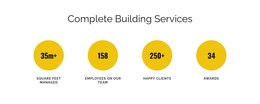
The heading “Why choose us?” frames the block as an explanation of performance, and the supporting line immediately below it gives the four metrics a shared introduction. The second internal region is different in purpose: it removes the introductory heading and gives equal visual status to four counter items. Their labels cover organic visitors, SEO case studies, ecommerce transactions, and qualified leads, so the section can function as a compact structured information area rather than a single numerical claim.
In a Joomla-managed page, this arrangement can remain a stable visual region for performance-oriented content while the broader site handles its other editorial areas. The four items are useful as a recognizable group because they share the same horizontal row, typography treatment, and spacing. The block therefore presents related information in a form that can sit alongside more detailed content without requiring the section to carry the whole page’s organization.
The bright purple background and yellow centered type also give the content region a clear visual boundary. Large metric values attract attention first, while the labels explain what each displayed figure represents. Because the interaction is static, the section’s role depends on hierarchy, contrast, and grouping rather than tabs, sliders, or expanding panels. In a Joomla context, that makes it a straightforward reusable section for a page that needs a visible results or credibility moment.
Customize with Nicepage
Open this ready-made template in the Joomla Page Builder and customize it visually in the Nicepage editor. Replace demo content, edit page sections, and adapt the design to your project without rebuilding the template from scratch.
Edit Template Offline
2. Create a new page or select existing
3. Click Add new block, search for id 6017266 and click enter
Edit Template Online
Create Awesome Websites


Free Nicepage Builder
Keywords
Work With This Template in Joomla
Customize and Install the Joomla Template
Start with this ready-made template instead of building the Joomla design from scratch. Customize its layout, content, typography, images, sections, and other design elements visually in the Nicepage application, then export and install the Joomla Template, Nicepage Extension, and supported content on your Joomla website.
Edit the Template Directly in Joomla
After installation, you can edit the Joomla Template directly in Joomla with the Nicepage Joomla Extension. Customize the Header, Footer, Colors, Fonts, typography, and Page Templates from the Joomla workflow while keeping the site design connected with your CMS content.
Edit Joomla Articles Visually
Use the Nicepage Joomla Extension to open and edit Joomla Articles visually from the Joomla Administrator. Change text, images, sections, layouts, and other page content in the Nicepage editor while continuing to manage the Articles through Joomla.
Joomla Content and Template Integration
Use the customized template together with Joomla Articles, module Positions, menus, forms, Blog Pages, and other supported CMS elements. With the Nicepage Extension used as the Site Style Source, shared design settings can be applied across Joomla Articles while Joomla continues to provide the CMS environment for managing site content.
This workflow combines a ready-made Joomla Template with visual customization, direct template editing in Joomla, and continued content management through the Nicepage Joomla Extension.