Our team consists of spatial designers Joomla Template



Edit Template Offline
2. Create new page and search for id 5921927
Edit Template Online
Create Awesome Websites


Free Nicepage Builder
Keywords
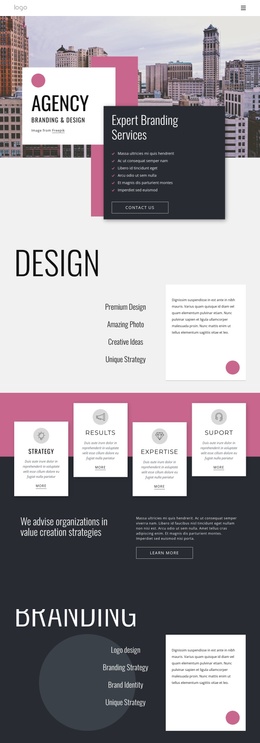
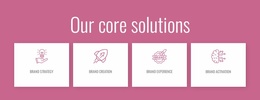
Four solution areas give the Joomla content structure clear regions
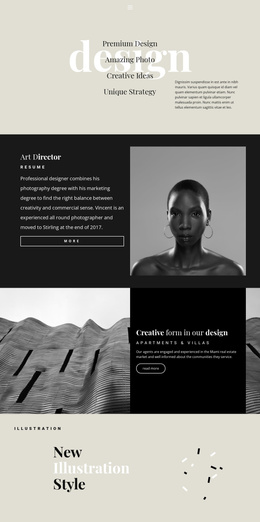
The four named solutions divide the consultancy’s main offering into distinct information areas rather than presenting one undifferentiated block of text. Brand strategy, brand creation, brand experience, and brand activation can therefore remain separate content subjects within a Joomla-managed site, while the shared navigation and repeated card treatment keep them visually related. This is useful for a project where structured service information needs to remain easy to identify as the content develops.
The leadership section supplies a different kind of recurring content. Six portrait profiles, each paired with a name and role in the supplied design, create a people-focused region that can sit alongside the service explanation without being confused with it. The split sections provide additional organizational context: one combines a photography collage with a Learn more action, and another pairs a large measurement statement with supporting copy. These relationships create clear regions for consultancy information, team presentation, and broader organizational identity.
The dark closing area brings navigation and contact-oriented content together through the newsletter subscription form, Chicago location block, and social links. In a Joomla implementation, those regions provide a coherent basis for managing structured site content while preserving the design’s shared header, section rhythm, and footer treatment. The page is therefore interpreted through reusable informational areas, not merely through its color palette or decorative accents.
Customize with Nicepage
Open this ready-made template in the Joomla Page Builder and customize it visually in the Nicepage editor. Replace demo content, edit page sections, and adapt the design to your project without rebuilding the template from scratch.
Work With This Template in Joomla
Customize and Install the Joomla Template
Start with this ready-made template instead of building the Joomla design from scratch. Customize its layout, content, typography, images, sections, and other design elements visually in the Nicepage application, then export and install the Joomla Template, Nicepage Extension, and supported content on your Joomla website.
Edit the Template Directly in Joomla
After installation, you can edit the Joomla Template directly in Joomla with the Nicepage Joomla Extension. Customize the Header, Footer, Colors, Fonts, typography, and Page Templates from the Joomla workflow while keeping the site design connected with your CMS content.
Edit Joomla Articles Visually
Use the Nicepage Joomla Extension to open and edit Joomla Articles visually from the Joomla Administrator. Change text, images, sections, layouts, and other page content in the Nicepage editor while continuing to manage the Articles through Joomla.
Joomla Content and Template Integration
Use the customized template together with Joomla Articles, module Positions, menus, forms, Blog Pages, and other supported CMS elements. With the Nicepage Extension used as the Site Style Source, shared design settings can be applied across Joomla Articles while Joomla continues to provide the CMS environment for managing site content.
This workflow combines a ready-made Joomla Template with visual customization, direct template editing in Joomla, and continued content management through the Nicepage Joomla Extension.