We are the best Joomla Template



Edit Template Offline
2. Create new page and search for id 5758043
Edit Template Online
Create Awesome Websites


Free Nicepage Builder
Keywords
Nine Profile Records Create Organized Joomla Content Areas
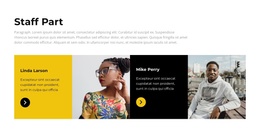
The page divides team information into several recognizable content regions that can be maintained within a CMS-oriented site structure. The compact navigation names Home, Gallery, and Team, while the Team page itself begins with an introduction block containing a heading, supporting text, and a portrait. That opening region can define the page’s purpose before the two featured staff profiles provide a more selective presentation through alternating image and text panels.
The nine-member directory supplies the strongest repeated-content pattern. Every profile uses the same basic relationship between circular portrait, name, role, biography, and social links, making the staff area easier to interpret as a structured collection rather than a single long paragraph. The blue and white panel treatment keeps those repeated records visually connected while still distinguishing the featured profiles from the full directory. The contact block adds another defined region with phone entries, an address line, and a supporting lifestyle image, followed by a shared dark footer.
For a Joomla project, these areas provide practical boundaries for organizing team information, contact content, navigation, and shared page regions. The displayed names, phone numbers, address, and sample text are demonstration values, so editorial content should be replaced with verified information without changing the page’s established content hierarchy.
Customize with Nicepage
Open this ready-made template in the Joomla Page Builder and customize it visually in the Nicepage editor. Replace demo content, edit page sections, and adapt the design to your project without rebuilding the template from scratch.
Work With This Template in Joomla
Customize and Install the Joomla Template
Start with this ready-made template instead of building the Joomla design from scratch. Customize its layout, content, typography, images, sections, and other design elements visually in the Nicepage application, then export and install the Joomla Template, Nicepage Extension, and supported content on your Joomla website.
Edit the Template Directly in Joomla
After installation, you can edit the Joomla Template directly in Joomla with the Nicepage Joomla Extension. Customize the Header, Footer, Colors, Fonts, typography, and Page Templates from the Joomla workflow while keeping the site design connected with your CMS content.
Edit Joomla Articles Visually
Use the Nicepage Joomla Extension to open and edit Joomla Articles visually from the Joomla Administrator. Change text, images, sections, layouts, and other page content in the Nicepage editor while continuing to manage the Articles through Joomla.
Joomla Content and Template Integration
Use the customized template together with Joomla Articles, module Positions, menus, forms, Blog Pages, and other supported CMS elements. With the Nicepage Extension used as the Site Style Source, shared design settings can be applied across Joomla Articles while Joomla continues to provide the CMS environment for managing site content.
This workflow combines a ready-made Joomla Template with visual customization, direct template editing in Joomla, and continued content management through the Nicepage Joomla Extension.