Find everything you need Joomla Template



Black Friday Messaging Forms a Structured Joomla Content Region
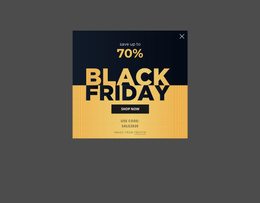
The “Black FRIDAY” heading and “Up to 70% on all Products” statement create one focused promotional information unit. The two-line title supplies the strongest visual entry point, while the offer line clarifies the commercial message without competing with the campaign name. On the right, the full-height photograph of a smiling woman in winter clothing and falling snow adds seasonal context and balances the denser text panel on the left.
In a Joomla-managed project, this block can function as a reusable promotional content region within a retail or e-commerce page. Its content is already divided into a clear message group and a supporting visual group, so it can sit alongside other structured information such as product categories, shopping guidance, or campaign details elsewhere in the broader site. The static interaction keeps the section focused on presenting the promotion rather than requiring visitors to operate a carousel or expandable control.
The muted gray background, black-and-white typography, and pale blue offer line also give the region a defined visual boundary. That separation can help distinguish a seasonal campaign from surrounding editorial or catalogue content while preserving the block’s original role as one section. The winter image provides a recognizable visual cue for the promotion, whereas the left text panel carries the exact offer language that visitors need to understand.
Customize with Nicepage
Open this ready-made template in the Joomla Page Builder and customize it visually in the Nicepage editor. Replace demo content, edit page sections, and adapt the design to your project without rebuilding the template from scratch.
Edit Template Offline
2. Create a new page or select existing
3. Click Add new block, search for id 52923 and click enter
Edit Template Online
Create Awesome Websites


Free Nicepage Builder
Keywords
Work With This Template in Joomla
Customize and Install the Joomla Template
Start with this ready-made template instead of building the Joomla design from scratch. Customize its layout, content, typography, images, sections, and other design elements visually in the Nicepage application, then export and install the Joomla Template, Nicepage Extension, and supported content on your Joomla website.
Edit the Template Directly in Joomla
After installation, you can edit the Joomla Template directly in Joomla with the Nicepage Joomla Extension. Customize the Header, Footer, Colors, Fonts, typography, and Page Templates from the Joomla workflow while keeping the site design connected with your CMS content.
Edit Joomla Articles Visually
Use the Nicepage Joomla Extension to open and edit Joomla Articles visually from the Joomla Administrator. Change text, images, sections, layouts, and other page content in the Nicepage editor while continuing to manage the Articles through Joomla.
Joomla Content and Template Integration
Use the customized template together with Joomla Articles, module Positions, menus, forms, Blog Pages, and other supported CMS elements. With the Nicepage Extension used as the Site Style Source, shared design settings can be applied across Joomla Articles while Joomla continues to provide the CMS environment for managing site content.
This workflow combines a ready-made Joomla Template with visual customization, direct template editing in Joomla, and continued content management through the Nicepage Joomla Extension.