Independent Bookshop Online Store Joomla Template

Edit Template Offline
2. Create new page and search for id 6666297
Edit Template Online
Create Awesome Websites


Free Nicepage Builder
Keywords
Catalog, Featured Content, and Store Details Create Structured CMS Regions
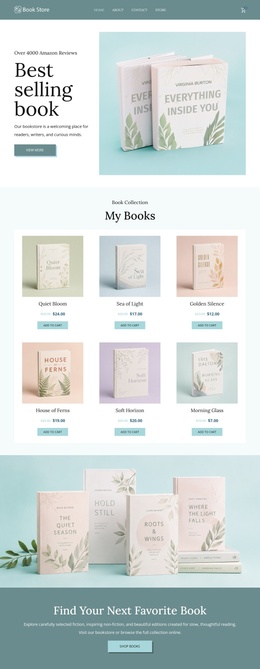
The My Books section provides the clearest structured content region in this bookstore design. Six book cards repeat the same relationship between title presentation, price, and Add to cart action, making the collection easier to interpret as a set of managed retail entries rather than as unrelated visual objects. Navigation and the opening Best selling books area provide the shared route into that collection, while the Shop books action connects the introduction with browsing intent.
The two featured-book presentations create a different kind of content region. The Quiet Season and Hold Still appear in alternating image-and-text rows, with supporting descriptions and metadata around each title. Their related but separate treatments could accommodate structured editorial or merchandising information while retaining the page's visual rhythm. The full-width book photograph and the teal Find Your Next Favorite Book band then serve as supporting regions that separate product browsing from promotional emphasis.
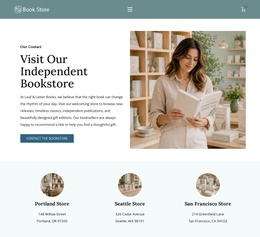
At the bottom, the footer brings together bookstore identity, address, opening hours, contact information, and additional information areas. These are practical site regions that need to remain recognizable alongside the catalog content. In a Joomla project, the design therefore offers a coordinated arrangement for navigation, recurring book information, featured content, promotional messaging, and store details, without requiring unsupported assumptions about which specific Joomla content types are already present.
Customize with Nicepage
Open this ready-made template in the Joomla Page Builder and customize it visually in the Nicepage editor. Replace demo content, edit page sections, and adapt the design to your project without rebuilding the template from scratch.
Work With This Template in Joomla
Customize and Install the Joomla Template
Start with this ready-made template instead of building the Joomla design from scratch. Customize its layout, content, typography, images, sections, and other design elements visually in the Nicepage application, then export and install the Joomla Template, Nicepage Extension, and supported content on your Joomla website.
Edit the Template Directly in Joomla
After installation, you can edit the Joomla Template directly in Joomla with the Nicepage Joomla Extension. Customize the Header, Footer, Colors, Fonts, typography, and Page Templates from the Joomla workflow while keeping the site design connected with your CMS content.
Edit Joomla Articles Visually
Use the Nicepage Joomla Extension to open and edit Joomla Articles visually from the Joomla Administrator. Change text, images, sections, layouts, and other page content in the Nicepage editor while continuing to manage the Articles through Joomla.
Joomla Content and Template Integration
Use the customized template together with Joomla Articles, module Positions, menus, forms, Blog Pages, and other supported CMS elements. With the Nicepage Extension used as the Site Style Source, shared design settings can be applied across Joomla Articles while Joomla continues to provide the CMS environment for managing site content.
This workflow combines a ready-made Joomla Template with visual customization, direct template editing in Joomla, and continued content management through the Nicepage Joomla Extension.