Develop innovative strategies Joomla Template



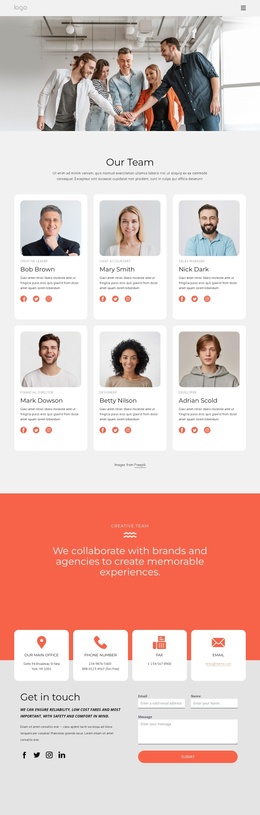
Four Service Groups Create a Structured Joomla Content Area
The four service categories give this section a clear information model for a Joomla-managed page. Design groups Web design, Art direction, Logo & branding, and UI & UX; Digital & Mobile covers Websites, Responsive design, Mobile & Tablet, and Mobile apps. Development adds Front end & Back end, Interaction design, Magento, Wordpress, and Symfony, Laravel, while Social Marketing presents Social Media Strategy, Community Management, Bloggers & influencers, and Reporting, live events. These grouped capabilities can remain readable as one reusable service region rather than being scattered across unrelated content areas.
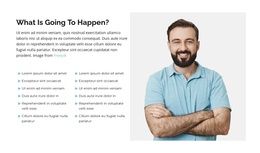
The portrait on the left supplies visual context for the two-by-two service grid on the right. Above it, the About Us label, “An overview of your digital strategy.” heading, attribution line, and Our Values button establish an introductory layer before visitors reach the detailed categories. In a Joomla-oriented project, this distinction suits structured informational content: the service groups can act as a stable section within an article or page, while the wider site manages its other editorial areas separately. The charcoal panel and muted list text also provide a consistent visual container for the category information, making the section recognizable when reused alongside other Joomla-managed content.
Customize with Nicepage
Open this ready-made template in the Joomla Page Builder and customize it visually in the Nicepage editor. Replace demo content, edit page sections, and adapt the design to your project without rebuilding the template from scratch.
Edit Template Offline
2. Create a new page or select existing
3. Click Add new block, search for id 507348 and click enter
Edit Template Online
Create Awesome Websites


Free Nicepage Builder
Keywords
Work With This Template in Joomla
Customize and Install the Joomla Template
Start with this ready-made template instead of building the Joomla design from scratch. Customize its layout, content, typography, images, sections, and other design elements visually in the Nicepage application, then export and install the Joomla Template, Nicepage Extension, and supported content on your Joomla website.
Edit the Template Directly in Joomla
After installation, you can edit the Joomla Template directly in Joomla with the Nicepage Joomla Extension. Customize the Header, Footer, Colors, Fonts, typography, and Page Templates from the Joomla workflow while keeping the site design connected with your CMS content.
Edit Joomla Articles Visually
Use the Nicepage Joomla Extension to open and edit Joomla Articles visually from the Joomla Administrator. Change text, images, sections, layouts, and other page content in the Nicepage editor while continuing to manage the Articles through Joomla.
Joomla Content and Template Integration
Use the customized template together with Joomla Articles, module Positions, menus, forms, Blog Pages, and other supported CMS elements. With the Nicepage Extension used as the Site Style Source, shared design settings can be applied across Joomla Articles while Joomla continues to provide the CMS environment for managing site content.
This workflow combines a ready-made Joomla Template with visual customization, direct template editing in Joomla, and continued content management through the Nicepage Joomla Extension.