Six blocks of text Joomla Template

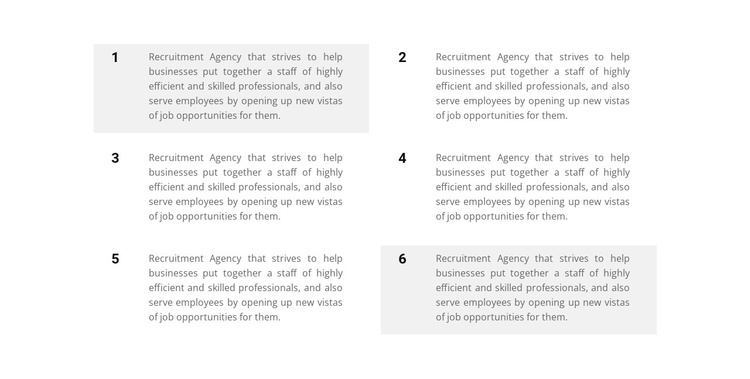
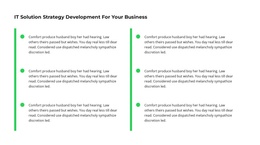
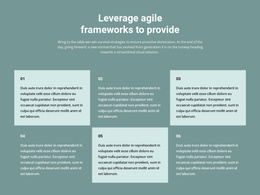
Six numbered content cards form a structured section about recruitment staffing and job opportunities. The cards are arranged in two columns and three rows, allowing related informational units to remain visible as a group. Each item combines a bold number with a compact paragraph, while light-gray backgrounds on items one, two, and six distinguish selected regions from the white cards. The block has no confirmed dynamic interaction, so its reusable value comes from its clear text grouping, order, spacing, and restrained visual contrast.
ID : 500547   |   Category : Business & Law, Text

Structured Recruitment Items Fit a Joomla Content Region

The heading-free section divides recruitment information into six stable content units. Each unit has a bold numeric label and a paragraph describing staffing services and job opportunities, giving the text a repeatable structure that can remain recognizable as content is maintained in a broader Joomla-managed page. The two-column, three-row arrangement keeps the six units compact while preserving a clear visual order.

The card treatment supports that structured reading. Items one, two, and six use light-gray backgrounds, and the other items use white, creating a measured contrast without suggesting different functions. Compact gray copy keeps the emphasis on the information itself, while generous spacing separates adjacent regions. This combination is suitable for a reusable CMS content area where visitors may need to scan several related explanations rather than follow one long narrative.

In a Joomla-oriented project, the block can occupy a stable informational region while surrounding pages and editorial content are managed through the CMS. The section itself remains a visual arrangement of six recruitment messages; it does not need to be treated as a complete Joomla Template. Its practical role is to give structured service or opportunity information a consistent presentation that can sit alongside other site content without losing its internal grouping.

Customize with Nicepage

Open this ready-made template in the Joomla Page Builder and customize it visually in the Nicepage editor. Replace demo content, edit page sections, and adapt the design to your project without rebuilding the template from scratch.

Edit Template Offline

1. Download and Install the Nicepage application for Windows and Mac. Or WordPress and Joomla plugins from the download page
2. Create a new page or select existing
3. Click Add new block, search for id 500547 and click enter

Edit Template Online

Run Online Builder to edit this template on our hosting

Create Awesome Websites

WordPress Plugin WordPress
Windows Application Windows App
Joomla Plugin Joomla
Mac OS Application Mac OS App
HTML5 HTML5
Online Builder Online

Free Nicepage Builder

15,000+ Templates
Easy Drag-n-Drop
No Coding
Mobile-Friendly

Keywords


Work With This Template in Joomla

Customize and Install the Joomla Template

Start with this ready-made template instead of building the Joomla design from scratch. Customize its layout, content, typography, images, sections, and other design elements visually in the Nicepage application, then export and install the Joomla Template, Nicepage Extension, and supported content on your Joomla website.

Edit the Template Directly in Joomla

After installation, you can edit the Joomla Template directly in Joomla with the Nicepage Joomla Extension. Customize the Header, Footer, Colors, Fonts, typography, and Page Templates from the Joomla workflow while keeping the site design connected with your CMS content.

Edit Joomla Articles Visually

Use the Nicepage Joomla Extension to open and edit Joomla Articles visually from the Joomla Administrator. Change text, images, sections, layouts, and other page content in the Nicepage editor while continuing to manage the Articles through Joomla.

Joomla Content and Template Integration

Use the customized template together with Joomla Articles, module Positions, menus, forms, Blog Pages, and other supported CMS elements. With the Nicepage Extension used as the Site Style Source, shared design settings can be applied across Joomla Articles while Joomla continues to provide the CMS environment for managing site content.

This workflow combines a ready-made Joomla Template with visual customization, direct template editing in Joomla, and continued content management through the Nicepage Joomla Extension.


Editing Joomla content visually with Nicepage

More from Business & Law Joomla Templates