Make Easier Joomla Template



Edit Template Offline
2. Create new page and search for id 4934355
Edit Template Online
Create Awesome Websites


Free Nicepage Builder
Keywords
Service Areas and Team Regions for a Structured Agency Site
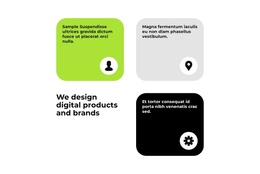
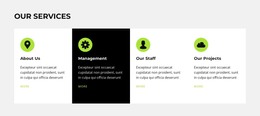
The service tiles give this design a useful content division for a CMS-managed agency website. Speed Optimization, Cloud Solution, Website Design, and Online Marketing are presented as four separate areas, so each capability can retain its own place within the page rather than being compressed into one general description. The preceding digital product and brand design section supplies the broader context for those services.
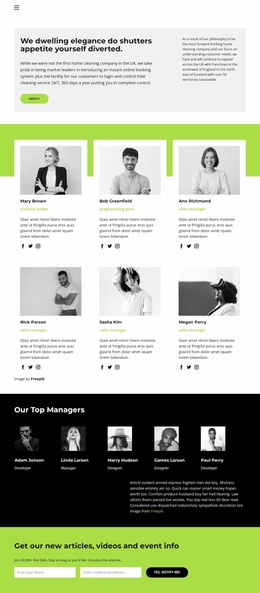
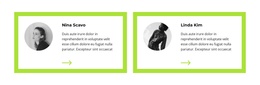
The five-profile team section adds another structured region. Portraits, names, and role labels distinguish the people-focused content from the service-focused content, while the Founder Branding Agency split section provides a separate positioning statement. Together, these areas create a practical relationship between what the agency offers, who represents it, and how the organization describes itself. The compact navigation and shared footer frame those regions as parts of one site experience.
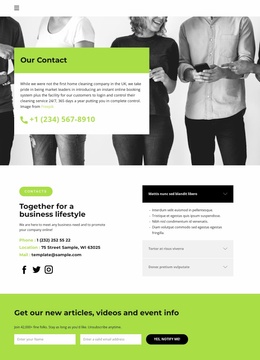
Two monthly pricing options introduce a commercial content area without replacing the informational sections. The closing office-location and phone-information cards then provide a clear contact region for visitors who have reviewed the agency story, capabilities, team, and plans. For a Joomla project, this arrangement offers recognizable content regions and navigation points that can be maintained as organized site information, while the visual contrast between lime, black, white, and pale gray keeps those regions connected.
Customize with Nicepage
Open this ready-made template in the Joomla Page Builder and customize it visually in the Nicepage editor. Replace demo content, edit page sections, and adapt the design to your project without rebuilding the template from scratch.
Work With This Template in Joomla
Customize and Install the Joomla Template
Start with this ready-made template instead of building the Joomla design from scratch. Customize its layout, content, typography, images, sections, and other design elements visually in the Nicepage application, then export and install the Joomla Template, Nicepage Extension, and supported content on your Joomla website.
Edit the Template Directly in Joomla
After installation, you can edit the Joomla Template directly in Joomla with the Nicepage Joomla Extension. Customize the Header, Footer, Colors, Fonts, typography, and Page Templates from the Joomla workflow while keeping the site design connected with your CMS content.
Edit Joomla Articles Visually
Use the Nicepage Joomla Extension to open and edit Joomla Articles visually from the Joomla Administrator. Change text, images, sections, layouts, and other page content in the Nicepage editor while continuing to manage the Articles through Joomla.
Joomla Content and Template Integration
Use the customized template together with Joomla Articles, module Positions, menus, forms, Blog Pages, and other supported CMS elements. With the Nicepage Extension used as the Site Style Source, shared design settings can be applied across Joomla Articles while Joomla continues to provide the CMS environment for managing site content.
This workflow combines a ready-made Joomla Template with visual customization, direct template editing in Joomla, and continued content management through the Nicepage Joomla Extension.