Pricing plan design Joomla Template


Plan Labels and Feature Lists Form a Structured CMS Region
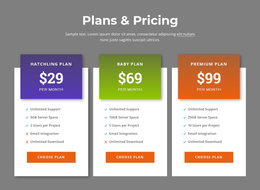
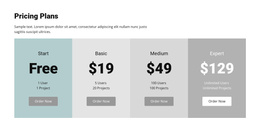
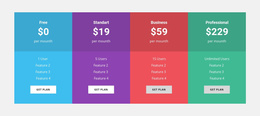
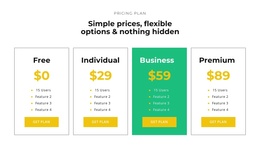
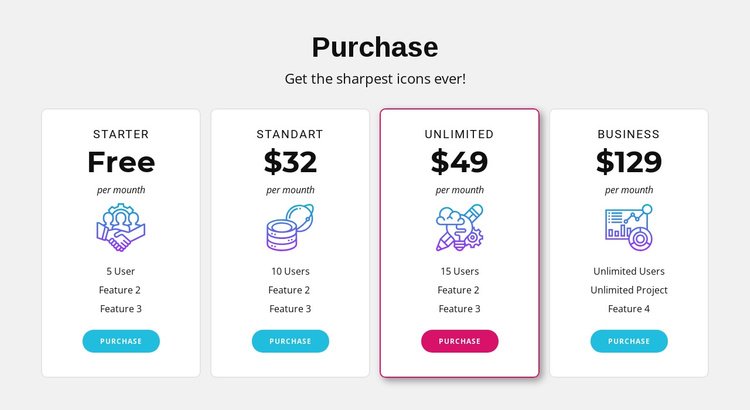
The “Purchase” heading and subtitle introduce a compact information area whose main content is divided into four plan records. Starter, standart, unlimited, and business each have a name, displayed price, billing label, feature list, icon treatment, and purchase button. That organization gives the section a clear content model for a Joomla-managed page: visitors can compare parallel offerings while each plan remains visually separated inside its own card.
The block’s presentation supports that structured role without requiring a different content arrangement. White cards sit on a light gray background, rounded corners and thin borders define the boundaries, and the unlimited plan uses a contrasting border and button color to signal emphasis. The repeated card pattern can remain a stable pricing region while other Joomla-managed content handles broader page information around it. The sample prices and feature labels function as the visible plan content and can be replaced with the project’s own values without changing the comparison hierarchy. Nicepage’s Joomla workflow can provide the wider CMS context, while this particular section remains the focused pricing area within a page rather than becoming a standalone Joomla site or template.
Customize with Nicepage
Open this ready-made template in the Joomla Page Builder and customize it visually in the Nicepage editor. Replace demo content, edit page sections, and adapt the design to your project without rebuilding the template from scratch.
Edit Template Offline
2. Create a new page or select existing
3. Click Add new block, search for id 485635 and click enter
Edit Template Online
Create Awesome Websites


Free Nicepage Builder
Keywords
Work With This Template in Joomla
Customize and Install the Joomla Template
Start with this ready-made template instead of building the Joomla design from scratch. Customize its layout, content, typography, images, sections, and other design elements visually in the Nicepage application, then export and install the Joomla Template, Nicepage Extension, and supported content on your Joomla website.
Edit the Template Directly in Joomla
After installation, you can edit the Joomla Template directly in Joomla with the Nicepage Joomla Extension. Customize the Header, Footer, Colors, Fonts, typography, and Page Templates from the Joomla workflow while keeping the site design connected with your CMS content.
Edit Joomla Articles Visually
Use the Nicepage Joomla Extension to open and edit Joomla Articles visually from the Joomla Administrator. Change text, images, sections, layouts, and other page content in the Nicepage editor while continuing to manage the Articles through Joomla.
Joomla Content and Template Integration
Use the customized template together with Joomla Articles, module Positions, menus, forms, Blog Pages, and other supported CMS elements. With the Nicepage Extension used as the Site Style Source, shared design settings can be applied across Joomla Articles while Joomla continues to provide the CMS environment for managing site content.
This workflow combines a ready-made Joomla Template with visual customization, direct template editing in Joomla, and continued content management through the Nicepage Joomla Extension.